
Using eSIM in Australia: Pros, Cons and Setup for International Students

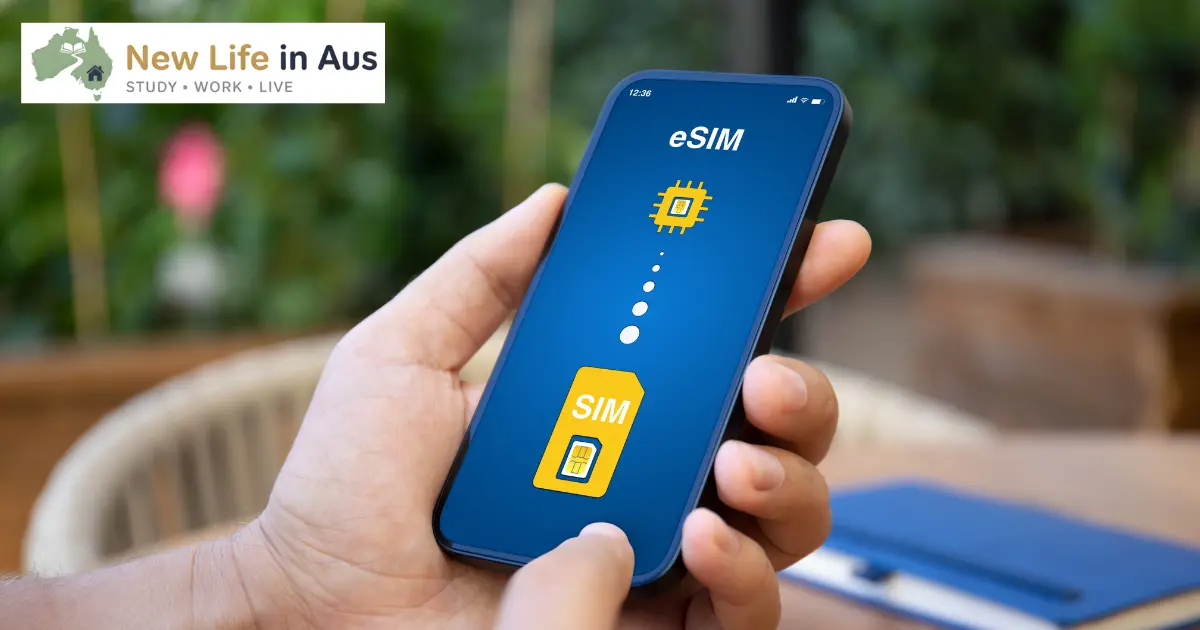
Using eSIM in Australia sounded like the perfect solution when I was planning my move to Melbourne. Every guide I read made it sound simple: download a digital SIM before you fly, land with instant connectivity, keep your home number active for bank verification codes. Easy, right?
Except I messed it up three times before I got it working properly. First attempt failed because I didn’t realize my phone needed to be unlocked by my home carrier. Second attempt got stuck in activation limbo for two hours because the airport Wi-Fi kept dropping. Third attempt finally worked, but only after I figured out which SIM needed to be set as default for data and which settings needed adjusting.
A year later, I’m still using eSIM in Australia and I’d never go back to physical SIMs. But I wish someone had been honest about both the genuine advantages and the annoying setup issues that nobody mentions in those smooth promotional guides.
I’ve now helped six classmates set up their eSIMs, watched three of them give up and buy physical SIMs instead, and learned exactly when eSIM is brilliant and when it’s more trouble than it’s worth. Here’s everything you actually need to know.
What eSIM Actually Is and Why It Matters
Let me explain this properly because the technical descriptions you’ll find online make it sound more complicated than it is. An eSIM is just a SIM card that’s built into your phone permanently instead of being a removable plastic chip. Instead of physically inserting a card, you download your mobile plan’s profile digitally and activate it through software.
Think of it like the difference between buying a physical DVD and downloading a movie. Same content, different delivery method. Your phone still connects to Telstra, Optus, or Vodafone towers the same way. The network doesn’t care whether you’re using eSIM or physical SIM.
The reason this matters for international students is that most modern phones support having both a physical SIM and an eSIM active simultaneously. This means you can keep your home country SIM in the physical slot for receiving verification codes from your bank, and use an Australian eSIM for your daily calls and data.
When I first arrived, I kept my Indian SIM active for the first three months. Every time I needed to log into my home bank account or receive a one-time password from government services back home, the SMS came through on my Indian number. Meanwhile, all my Australian calls, data, and local communication ran through my Optus eSIM.
This dual-SIM setup is genuinely useful and it’s the main reason I’d recommend eSIM to most international students. But it only works if you understand how to set it up properly, which brings me to the problems I ran into.
The Real Advantages Nobody Exaggerates
Before I get into the issues, let me be clear about what actually works well with using eSIM in Australia. These aren’t theoretical benefits, they’re things I use regularly and genuinely appreciate.
You land connected if you set it up right. When my brother flew to Melbourne six months after me, I helped him set up a Telstra eSIM before his flight. He landed at Melbourne Airport, turned off airplane mode, and immediately had working data. He opened Google Maps, booked an Uber, and messaged me his arrival time without ever touching an airport SIM kiosk.
Compare that to my arrival where I stood in line at a Telstra kiosk for 20 minutes while exhausted from a long flight, paid premium airport pricing, and fumbled with activating a physical SIM while juggling my luggage. The eSIM approach is objectively better if you can execute it properly.
Keeping your home number active is incredibly practical. Banking apps, email verification, government services, university admission portals, visa application systems. All of these send SMS codes to whatever number you registered with. If you remove your home SIM completely, you’re locked out of critical services until you can get a replacement SIM or change your registered number.
I tried explaining this to a classmate who immediately removed his Malaysian SIM when he arrived. Two weeks later he needed to verify his home bank account to make a tuition payment and couldn’t receive the SMS code. He had to video call his family, get them to put his old SIM in a phone, and read him the codes as they arrived. Ridiculous hassle that an eSIM setup would have avoided completely.
Switching providers is actually easier. When I moved from Footscray to Carlton after three months, my Optus coverage became noticeably worse in certain parts of the university campus. With eSIM, I could have switched to Telstra in about 30 minutes by downloading their eSIM profile. With physical SIM, I’d need to either visit a store, wait for a delivery, or port my number and deal with the physical card swap.
I didn’t actually switch because the coverage issue was manageable, but knowing I could switch easily without physical hassle was reassuring. Physical SIMs create lock-in through inconvenience. eSIMs remove that friction.
You can’t lose a tiny physical SIM card. This sounds trivial until you’ve watched someone frantically search their apartment for a SIM card the size of a fingernail that fell on the floor during a phone swap. Or until you’ve seen someone’s SIM card damaged by water or accidentally bent while trying to insert it. These problems genuinely disappear with eSIM.
The airport SIM options I wrote about earlier all require handling physical cards. eSIM eliminates that entirely, which reduces stress and potential problems.
The Frustrating Parts People Don't Warn You About
Now let me be honest about what doesn’t work smoothly. These aren’t dealbreakers for most people, but they’re real problems that you need to know about before committing to eSIM.
Phone compatibility is hit or miss. Not every phone supports eSIM, and even among phones that technically support it, some carriers or regions have it disabled. My classmate’s Samsung phone supported eSIM according to Samsung’s website, but when she tried to set up Optus eSIM, it failed because her specific model variant from her home country had eSIM functionality disabled.
The way to check if your phone supports eSIM is to dial *#06# and look for an EID number in the information that appears. If you see a 32-digit EID listed, your phone probably supports eSIM. If you don’t see it, you’re out of luck and need to use physical SIM instead.
iPhones from XR onwards support eSIM. Google Pixel 3 and newer support it. Most flagship Samsung, Oppo, and Xiaomi phones from the last few years support it. But budget phones, older models, and phones bought in certain markets often don’t. You can’t assume compatibility.
Your phone must be unlocked. This caught me completely off guard. My phone was locked to my home carrier, which meant it would only accept SIM cards from that specific company. An unlocked phone accepts SIM cards from any carrier, which is required for using Australian eSIMs.
I had to contact my home carrier, request an unlock code, wait three days for them to process it, and then follow a complicated procedure to unlock the phone before I could set up my Australian eSIM. This should have been step one, but nobody told me, so I wasted several days thinking my eSIM setup was broken when actually my phone was just locked.
If you bought your phone directly from a manufacturer or from an unlocked seller, you’re probably fine. If you bought it from a carrier on a contract or plan, it’s probably locked. Check this before you fly to Australia.
Activation requires stable Wi-Fi and it’s finicky. Every eSIM setup guide cheerfully says “just connect to Wi-Fi and activate.” What they don’t mention is that airport Wi-Fi often drops connection mid-activation, which causes the process to fail and leaves you with a half-installed eSIM profile that you need to delete and start over.
I tried activating my Optus eSIM at Melbourne Airport using their free Wi-Fi. It got to 60% installation, the Wi-Fi dropped for 10 seconds, and the activation failed. I had to delete the failed profile, reconnect to Wi-Fi, and start completely over. The second attempt worked, but those 45 minutes of frustration while tired and stressed from the flight were not fun.
If you’re setting up eSIM, do it before you fly using your home Wi-Fi, or wait until you reach accommodation with reliable internet. Airport Wi-Fi is convenient but risky for eSIM activation.
Identity verification creates delays. Australian regulations require identity verification for all mobile services, including prepaid eSIM. This means you need to submit passport photos or scans, wait for verification (usually a few hours to a day), and only then can you activate the eSIM.
Some providers let you pre-verify your identity online before you fly, which speeds up the process. Others require you to verify after you’ve already purchased the eSIM, which means you’ve paid money but can’t use the service until verification completes. Telstra’s verification took about 4 hours for me. Optus verified within 2 hours when my brother set his up. Vodafone took nearly a full day for a classmate.
This isn’t a dealbreaker, but it’s another step that physical SIM purchases at airport kiosks don’t have because the staff verify your passport in person immediately.
Transferring eSIM to a new phone is complicated. When I upgraded my phone six months after arriving, transferring my eSIM to the new device was way more confusing than just popping a physical SIM out and putting it in the new phone. Different carriers have different transfer procedures, some require generating a new QR code, others use app-based transfers, and the whole process requires good documentation reading and patience.
I spent 40 minutes on Optus’s help chat trying to figure out the transfer process. Eventually got it working, but a physical SIM would have taken 30 seconds to move between phones. This is a genuine downside of eSIM that only matters when you change devices, but it’s annoying when it happens.
Which Australian Networks Support eSIM Properly
All three major networks support eSIM, but their implementation quality and ease of setup varies. Here’s what I’ve learned from personal experience and watching others set theirs up.
Telstra has the most reliable eSIM setup process. Their app guides you through everything clearly, verification usually completes within a few hours, and their customer service actually understands eSIM issues if something goes wrong. The downside is cost – Telstra’s prepaid plans are 20-30% more expensive than competitors.
My brother chose Telstra eSIM specifically because he was traveling to regional Victoria for a student exchange program and needed guaranteed coverage. The setup worked smoothly, he’s had zero issues, and the coverage is genuinely excellent even in rural areas. But he pays about $10 more per month than he would with Optus for similar data.
Optus offers better value but slightly less polished eSIM setup. Their app works fine, but I’ve heard more stories of activation getting stuck or requiring customer service intervention. Once it’s set up, the service is totally fine. Coverage in Melbourne, Sydney, and Brisbane is essentially equivalent to Telstra.
This is what I use daily. The setup had that airport Wi-Fi hiccup I mentioned, but since then it’s been completely reliable. For most students staying in major cities, Optus eSIM is the best value option.
Vodafone has the cheapest plans but the worst customer service for troubleshooting eSIM problems. Their setup process works, but if something goes wrong, good luck getting helpful support. Their coverage is noticeably weaker in outer suburbs and regional areas.
I only know two students using Vodafone eSIM long-term. Both live in inner-city areas (one in Melbourne CBD, one in Newtown Sydney) and have no complaints. But I wouldn’t recommend Vodafone eSIM if you’re living in outer suburbs or planning any regional travel.
There are also budget MVNOs (mobile virtual network operators) like Amaysim, Felix, and Lebara that offer eSIM on the big three networks. These can be even cheaper but add another layer of potential complications if setup fails. I’d stick with the main networks for your first Australian mobile service, then explore cheap mobile plans under $30 from MVNOs once you’re settled.
Prepaid vs Postpaid for eSIM Users
This decision is simpler than people make it. For international students just arriving, prepaid eSIM is almost always the right choice. No credit history required, no contracts, easy to switch if you’re not happy.
Prepaid eSIM works exactly like prepaid physical SIM. You pay upfront for a month of service (usually 28 days), get your data allowance, and recharge when it expires. The main networks all offer prepaid eSIM plans that you can buy online before arriving or immediately after landing.
Postpaid plans require credit checks, Australian bank accounts, and often lock you into 12-month contracts. Unless you’re absolutely certain you’ll stay with one provider for a year and you have Australian credit history, don’t bother with postpaid initially.
I started with Optus prepaid eSIM and stayed on prepaid for my entire first year. After a year, I had enough Australian credit history that postpaid became an option, but by then I’d realized prepaid gave me more flexibility and wasn’t actually more expensive for my usage patterns.
The prepaid versus postpaid comparison I wrote covers this in more depth, but the short version is: start prepaid, consider postpaid after 12+ months if you see a compelling reason to switch.
Step-by-Step Setup That Actually Works
Let me walk you through the process I’d follow now if I were setting up eSIM for the first time, incorporating all the lessons I learned from my failed attempts.
Step 1: Check phone compatibility and unlock status
Dial *#06# and look for an EID number. If you don’t see it, stop here – you need physical SIM instead. Contact your home carrier and confirm your phone is unlocked. If it’s locked, request unlock before you leave your home country. This can take 3-10 days depending on carrier.
Step 2: Choose your Australian network
For most students living in Melbourne, Sydney, or Brisbane: Optus prepaid eSIM offers the best value. For students planning regional travel or studying outside major cities: Telstra prepaid eSIM provides better coverage despite higher cost. For inner-city students on tight budgets: Vodafone prepaid eSIM is cheapest but has weaker coverage.
Step 3: Buy the eSIM online 3-7 days before your flight
Don’t wait until you arrive. Go to your chosen network’s website, select their prepaid eSIM option, complete the purchase, and submit your passport information for verification. This gives verification time to complete before you fly.
Telstra’s prepaid eSIM page is straightforward. Optus has a specific traveler eSIM section that works well for newcomers. Vodafone’s eSIM activation requires an activation key they email you.
Step 4: Complete verification and receive your activation details
You’ll get an email (usually within 2-24 hours) confirming your identity verification is complete and providing your eSIM QR code or activation details. Save this email and screenshot the QR code just in case.
Step 5: Activate before you fly using stable home Wi-Fi
On your phone, go to Settings > Mobile/Cellular > Add eSIM (exact wording varies by phone). Scan the QR code provided by your carrier. The eSIM profile will download and install. This usually takes 2-5 minutes on stable Wi-Fi.
Don’t turn the eSIM on yet – it won’t work until you’re physically in Australia. Just having it installed is enough.
Step 6: Configure dual SIM settings
Set your Australian eSIM as the default line for mobile data. Keep your home SIM as the default for calls if you want to receive calls on that number. Label both lines clearly so you don’t get confused later.
Step 7: Turn on your Australian eSIM after landing
When you land in Australia and turn off airplane mode, your eSIM should automatically connect to the network within 2-3 minutes. You’ll see the carrier name appear in your status bar. Test it by opening a browser or sending a message.
This is the process that works reliably. The mistakes I made were: attempting activation on airport Wi-Fi (unstable), not checking unlock status first (wasted time), and not understanding dual SIM settings (confused about which line was being used for data).
Managing Two Active SIM Lines
Having both your home SIM and Australian eSIM active simultaneously is powerful but confusing at first. Here’s how to actually manage it without constant frustration.
Set clear defaults in your settings. On iPhone, go to Settings > Mobile Data and select your Australian eSIM as the default for mobile data. On Android, go to Settings > SIM cards and select your eSIM as default for data. This ensures you’re not accidentally using expensive international roaming on your home SIM for data.
Label your lines clearly. Instead of leaving them as “Primary” and “Secondary,” rename them to something obvious like “India – Banking” and “Australia – Daily” or whatever makes sense for you. When you’re making a call or sending an SMS, you’ll see these labels and immediately know which SIM you’re using.
Turn off data roaming on your home SIM. This prevents accidental charges. Your home SIM should only be used for receiving SMS codes and calls, never for data. I learned this after my first week when I noticed 50MB of data usage on my home SIM that cost me $15 in roaming charges. Complete waste.
Understand which apps use which line. Phone calls and SMS can be sent from either SIM and you choose each time. Data always uses whichever SIM you’ve set as default for data. Banking apps and other apps that send SMS verification codes will send to whichever number you registered with them.
Keep your home SIM topped up minimally. Even if you’re not using it for calls or data, most carriers deactivate SIMs if they go months without any usage or credit. I keep $5-10 credit on my home SIM and make one small recharge every 3-4 months just to keep it active.
The international calling options I wrote about explain why most students actually use WhatsApp or similar apps for international calls rather than paying for actual phone calls. Your home SIM mainly serves as an SMS receiver.
When Physical SIM Is Actually Better
I’m pro-eSIM for most students, but there are legitimate situations where physical SIM makes more sense. Be honest about which category you fall into.
If your phone doesn’t support eSIM or is locked. Obviously. Don’t try forcing eSIM compatibility that doesn’t exist. Just buy a physical SIM at the airport or a city store and move on.
If you’re not comfortable with technology. Setting up eSIM requires following multi-step instructions, dealing with settings menus, and troubleshooting if something goes wrong. If the thought of that stresses you out, a physical SIM at an airport kiosk where staff help you set everything up is genuinely the better option.
If you need connectivity immediately and have no time for setup issues. Maybe you’re arriving for a job interview the next day or have urgent commitments. Physical SIM from the airport kiosk guarantees you’re connected within 15 minutes with staff support. eSIM might fail to activate and leave you scrambling.
If you’re changing phones frequently. Transferring eSIM between devices is annoying. If you know you’ll be upgrading or switching phones multiple times during your stay, physical SIM is simpler to move around.
If you don’t need to keep your home number active. The main advantage of eSIM is dual-SIM capability. If you’re completely fine removing your home SIM and losing access to that number, then eSIM provides no particular benefit over physical SIM. They work identically once activated.
I helped a classmate who couldn’t get his eSIM activation to work after an hour of trying. He was getting frustrated and stressed. I drove him to a 7-Eleven, we bought a $30 Optus physical SIM, activated it in 5 minutes, and he was happy. Sometimes the simpler solution is the right solution.
Troubleshooting Common eSIM Problems
These are the issues I’ve either experienced personally or helped others fix. Most eSIM problems fall into a few predictable categories.
eSIM downloaded but no data connection:
Check that mobile data is turned on and set to your eSIM as default. Check that data roaming is enabled (yes, even for a local Australian eSIM, some phones require this toggle on). Restart your phone. Wait 15 minutes – sometimes networks take time to fully provision new eSIM activations.
QR code won’t scan:
Screenshot the QR code and manually enter the activation details if your provider gives you that option. Or increase your screen brightness and try scanning again. Sometimes QR codes sent via email get compressed and become unscannable.
Verification stuck or rejected:
Double-check your passport details match exactly what you entered. Passport number, name spelling, date of birth must be perfect. If verification is taking more than 24 hours, contact your carrier’s support chat. Sometimes verification gets stuck in a queue and needs manual pushing.
Can’t make calls but data works:
Check that VoLTE (Voice over LTE) is enabled in your phone settings. Some phones disable this by default and it’s required for calls on Australian networks. Your carrier might also need to provision calling separately from data.
eSIM disappeared from phone:
This happened to me once after a phone software update. Go back to your carrier’s email with the original QR code and reinstall the eSIM profile. Your phone number and plan details should remain the same.
Can’t transfer eSIM to new phone:
Contact your carrier support and ask for a new QR code. Most carriers can regenerate the activation code so you can install on your new device. This usually takes 1-2 hours to process.
If you’re really stuck, the Optus app and Telstra app both have decent live chat support. Vodafone’s support is less helpful in my experience. Don’t waste hours troubleshooting obscure issues – just contact support and let them remote-fix it.
The Cost Reality of eSIM Plans
One question I get asked constantly is whether eSIM costs more than physical SIM. The answer is no – the plans are identical in price. An Optus prepaid eSIM with 40GB costs exactly the same as an Optus physical SIM with 40GB.
The price difference comes from where you buy. If you buy eSIM online directly from the carrier, you’re getting their regular prepaid pricing. If you buy a physical SIM at the airport, you’re paying the airport convenience premium (usually $10-20 extra for the same plan).
For your first month, expect to pay:
- Telstra prepaid: $40-50 for 40-50GB
- Optus prepaid: $30-40 for 40-50GB
- Vodafone prepaid: $25-35 for 35-45GB
These prices are the same whether you buy eSIM online or physical SIM from a city store. The delivery method doesn’t affect the plan cost.
After your first month, you can find better value by shopping around. I’m currently paying $25/month for 40GB on an Optus prepaid plan I found on special. That same value is available for both eSIM and physical SIM users.
The best mobile phone plans for students guide I wrote compares current pricing across different carriers and plan types. But the key point is: eSIM doesn’t cost extra, it’s just a different format for the same service.
Understanding how much data you actually need helps you choose the right plan size without overpaying for data you won’t use.
My Honest Recommendation
If your phone supports eSIM and is unlocked, set it up before you fly. The ability to land with immediate connectivity while keeping your home number active is worth the setup hassle. Buy prepaid eSIM from Optus for value or Telstra for coverage, get it activated before departure using stable home Wi-Fi, and deal with any troubleshooting issues before you’re exhausted and jet-lagged at the airport.
If your phone doesn’t support eSIM, is locked, or you’re not confident with technology setup, buy a physical SIM. Either at the airport for convenience or at a city store the next day for better value. Both options work perfectly fine for daily use.
Don’t overthink this decision. The difference between eSIM and physical SIM matters most in the first few days. After you’re settled, both provide identical service. Choose whichever option reduces your stress during arrival, because you’ll have plenty of other things to worry about.
I’m genuinely happy with my eSIM setup now, but I wouldn’t call the setup process “smooth” or “easy” like marketing materials claim. It works well once configured properly, but getting to that point required patience and troubleshooting.
Frequently Asked Questions
Can I switch from eSIM to physical SIM later if I have problems?
Yes, easily. Your phone number can be ported to a physical SIM by requesting it from your carrier. They’ll send you a physical SIM card, you activate it with your existing number, and deactivate the eSIM profile. The process takes 1-2 days. You can also do the reverse – port from physical to eSIM if you start with a physical card.
Do I need to keep my eSIM active even during university breaks when I leave Australia?
You don’t need active service, but you need to recharge your prepaid plan at least once every 90-180 days (depends on carrier) to keep your number active. Even a minimum $10 recharge is enough to extend your number expiry. If you let it lapse completely, you lose the number permanently.
Can I use the same eSIM profile on multiple phones?
No. Each eSIM profile is locked to one device at a time. If you want to use your plan on a different phone, you need to transfer the eSIM (which removes it from the old phone) or get a new eSIM profile generated for the second device. You can’t have the same number active on two phones simultaneously with eSIM.
Does eSIM work with portable Wi-Fi hotspots or tablets?
Most portable hotspots don’t support eSIM – they use physical SIMs only. Some iPads and cellular-enabled tablets support eSIM, but this is less common. If you’re planning to buy a Wi-Fi hotspot device for travel, assume it requires physical SIM unless explicitly stated otherwise.
What happens to my eSIM when I do a factory reset or software update?
Software updates usually preserve your eSIM profile. Factory resets sometimes delete it – depends on your phone manufacturer. Before doing a factory reset, contact your carrier and get a new QR code ready so you can reinstall the eSIM immediately after reset. Better safe than locked out of service.
Can I have multiple Australian eSIMs active on the same phone?
Technically yes, most eSIM-capable phones can store 5-10 eSIM profiles, but only one can be active at a time alongside your physical SIM. Some newer phones support dual eSIM without any physical SIM. Check your specific phone’s documentation for exact capabilities.
Final Thoughts
Using eSIM in Australia as an international student solves real problems around arrival connectivity and dual-number management. But it’s not the smooth, flawless experience that promotional materials suggest. Setup requires patience, troubleshooting skills, and stable Wi-Fi.
I’d still choose eSIM again despite the setup hassles because the benefits outweigh the annoyances. Landing with working data, keeping my home number for verification codes, and having the flexibility to switch carriers easily have all been genuinely useful. But I’m also comfortable with technology troubleshooting and had time to set everything up properly before departure.
If that doesn’t sound like you, there’s zero shame in buying a physical SIM. Australian mobile service works identically whether it’s delivered via eSIM or physical card. The format is just a delivery mechanism, not a measure of how tech-savvy or prepared you are.
For students still planning their arrival, check out my guides on first month setup costs and opening bank accounts to understand the full picture of getting established. Using eSIM in Australia is just one piece of the arrival puzzle, and not even the most important piece.
Set it up if it suits your situation. Skip it if physical SIM makes more sense. Either way, you’ll be fine.
You May Also Like

Best Student Bank Account in Australia 2026 – Which One Is Actually Worth It?

Best Bank Accounts in Australia for International Students: Compared
Looking for a bank account? Real comparison from a Melbourne student.

How to Open a Bank Account in Australia: Step by Step Guide for Students
Need to open a bank account? Real step by step guide from a Melbourne student.