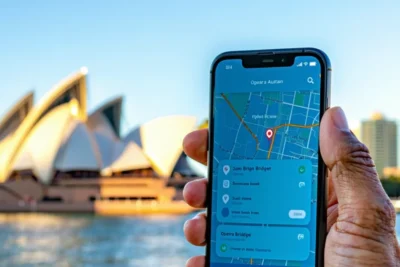
Didi App Guide: Download, Setup & Use in Australia 2026


Didi App Guide: How to Download, Set Up, and Use Didi in Australia starts with downloading the app from your device’s app store, creating an account with your phone number, and adding a payment method. This comprehensive guide walks you through every step of using Didi in Australia, from initial setup to booking your first ride and accessing advanced features.
Furthermore, Didi operates as a popular ride-hailing alternative to Uber across major Australian cities including Sydney, Melbourne, Brisbane, and Perth. The platform offers competitive pricing and similar functionality to other rideshare services, making it an attractive option for Australian commuters.
Additionally, this step-by-step tutorial covers account verification, payment setup, ride booking processes, and troubleshooting common issues. Whether you’re new to rideshare apps or switching from another service, you’ll learn how to maximize Didi’s features and save money with promo codes available in Australia.
TL;DR
- Download the Didi app from Apple App Store or Google Play Store, then create an account using your phone number
- Set up payment by adding credit/debit cards, PayPal, or digital wallets as your preferred payment method
- Book rides by setting pickup location, entering destination, selecting vehicle type, and confirming your booking
- Track your ride in real-time, communicate with drivers, and complete trips with automatic payment processing
- Access advanced features like ride scheduling, promo codes, safety tools, and trip history management
What is Didi and Its Availability in Australia
Didi operates as China’s largest ride-hailing platform and has expanded globally to become a major competitor in the Australian rideshare market. The company provides on-demand transportation services through its mobile application, connecting passengers with licensed drivers across multiple vehicle categories. Moreover, Didi’s platform facilitates millions of rides worldwide, establishing itself as a significant player in the global mobility ecosystem.
Currently, Didi Australia maintains active operations in four major metropolitan areas: Sydney, Melbourne, Brisbane, and Perth. The service launched in Australia in 2018 and has steadily expanded its coverage zones within these cities. Additionally, Didi continues to recruit drivers and enhance its service offerings across these established markets.
Service Areas and Coverage Zones
Didi’s coverage spans the central business districts and suburban areas of Australia’s major cities. In Sydney, the service covers areas from the CBD to Parramatta, extending south to Sutherland and north to Hornsby. Meanwhile, Melbourne users can access Didi throughout the inner city, reaching outer suburbs like Dandenong and Frankston.
Brisbane coverage includes the CBD, South Bank, and extends to areas like Chermside and Logan. Similarly, Perth operations cover the city center and surrounding suburbs including Fremantle and Joondalup. However, rural and remote areas outside these metropolitan zones remain unavailable for Didi services.
Comparison with Other Ride-Sharing Services
Didi competes directly with established Australian rideshare platforms, particularly Uber, which dominates the local market. Didi typically offers lower fares than Uber, making it an attractive alternative for cost-conscious passengers. Furthermore, both platforms provide similar core features including real-time tracking, cashless payments, and driver ratings.
| Feature | Didi | Uber |
|---|---|---|
| Base Fare | Generally lower | Standard pricing |
| City Coverage | 4 major cities | Nationwide |
| Vehicle Options | Express, Max, Luxury | UberX, Comfort, XL, Premier |
| Airport Service | Available in major airports | Comprehensive airport coverage |
Unlike Ola, which shut down operations in Australia, Didi has maintained consistent service delivery and driver availability. The platform also differentiates itself through promotional campaigns and frequent discount codes that provide additional savings for Australian users. Consequently, Didi has established itself as a viable second option in Australia’s competitive rideshare landscape.
Regarding ride availability, Didi’s smaller driver network means longer wait times during peak periods compared to Uber’s extensive fleet. Nevertheless, the platform continues expanding its driver base and improving service reliability across its operational areas.
How to Download the Didi App
Downloading the Didi app requires accessing your device’s official app store, whether you use an iPhone or Android smartphone. The installation process takes just a few minutes and provides immediate access to Didi’s rideshare services across Australia’s major cities.
Download from Apple App Store (iOS Devices)
iPhone users can download the Didi Rider app directly from the Apple App Store by searching for “Didi” or “Didi Rider.” The official app displays the distinctive Didi logo and shows DiDi Technology Co., Ltd. as the developer. Additionally, the app maintains consistently high ratings from Australian users who appreciate its user-friendly interface.
iOS compatibility extends to devices running iOS 12.0 or later, ensuring most modern iPhones and iPads support the application. Furthermore, the app integrates seamlessly with Apple Pay for convenient payment processing during rides.
Download from Google Play Store (Android Devices)
Android device owners can access the Didi app through Google Play Store using the same search terms. The official application requires Android 5.0 (API level 21) or higher for optimal performance and security features. Moreover, the Android version offers identical functionality to its iOS counterpart, including real-time tracking and fare estimates.
Google Play Protect automatically scans the Didi app during installation, ensuring safe and secure download processes. Consequently, users receive protection against malicious software while accessing legitimate rideshare services.
System Requirements and Compatibility
| Platform | Minimum Version | Storage Required | RAM Recommendation |
|---|---|---|---|
| iOS | 12.0 or later | 150-200 MB | 2 GB |
| Android | 5.0 (API 21) | 120-180 MB | 2 GB |
The Didi application performs optimally on devices with sufficient RAM and storage space to handle GPS tracking, map rendering, and real-time communication features. Older smartphones may experience slower loading times or reduced functionality during peak usage periods.
App Size and Storage Considerations
The initial Didi app download typically ranges between 120-200 MB depending on your device’s operating system. However, the application expands during use as it caches map data, trip history, and user preferences locally on your device.
Regular app updates increase the total storage footprint, particularly when Didi introduces new features or enhances existing functionality. Therefore, maintaining at least 500 MB of available storage ensures smooth operation and prevents installation failures during updates.
Alternative Download Methods
Users experiencing difficulties with official app stores can visit Didi’s official website for direct download links and troubleshooting guidance. The company provides customer support through multiple channels, including email and in-app messaging systems.
Additionally, some Android users may access the app through alternative app stores, though official sources remain the safest and most reliable option. Once downloaded, you can explore working Didi promo codes to maximize savings on your first rides across Australia’s major cities.
Setting Up Your Didi Account
Creating your Didi account requires a valid Australian mobile number and takes approximately 3-5 minutes to complete. The registration process follows strict verification protocols to ensure user safety and comply with Australian transport regulations.
Creating a New Account with Phone Number
Open the Didi app and tap “Sign Up” on the welcome screen. Subsequently, enter your Australian mobile number in the designated field, ensuring you include the correct area code for your location.
The system sends a six-digit verification code via SMS within 30 seconds. Enter this code promptly, as it expires after 10 minutes for security purposes. If you don’t receive the code, tap “Resend” after waiting the full 60-second cooldown period.
Email Verification Process
After phone verification, Didi prompts you to add an email address for account recovery and promotional communications. This step enhances account security and enables password reset functionality if needed.
Check your inbox for the email verification link from Didi Australia. Click the verification link within 24 hours to activate email-based account features. Meanwhile, you can still use the app with phone-only verification if email confirmation is delayed.
Profile Information Setup
Complete your profile by entering your full name exactly as it appears on your identification documents. This information must match your payment methods and helps drivers identify you during pickups.
Additionally, select your preferred language settings from the available options including English, Mandarin, and Cantonese. The app interface adapts accordingly, improving your overall user experience throughout Australia’s diverse communities.
Adding Profile Photo and Personal Details
Upload a clear, recent profile photograph that shows your face clearly without sunglasses or hats. This photo helps drivers identify you at pickup locations and builds trust within the rideshare community.
Furthermore, add optional details such as your home address and work location for faster booking. These saved locations appear as quick-select options, streamlining your daily commute across Australian cities where Didi operates.
Account Verification Requirements
Account verification involves confirming your identity through government-issued identification in certain circumstances. Didi may request additional verification for high-value transactions or if suspicious activity is detected on your account.
The verification process typically requires uploading a photo of your driver’s license or passport through the app’s secure document upload feature. Once submitted, verification usually completes within 24-48 hours during business days.
After completing account setup, you can immediately start booking rides and take advantage of current Didi promotional offers available to new users across Australia’s major metropolitan areas.
Adding Payment Methods
Didi supports multiple payment options across Australia, ensuring convenient transactions for all users. The platform accepts credit cards, debit cards, PayPal, and various digital wallet solutions to accommodate different payment preferences.
Supported Payment Options in Australia
Australian users can add Visa, Mastercard, and American Express credit cards to their Didi accounts. Additionally, the app accepts debit cards from major Australian banks including Commonwealth Bank, ANZ, Westpac, and NAB.
Digital payment solutions such as Apple Pay, Google Pay, and Samsung Pay integrate seamlessly with the Didi platform. These contactless payment methods provide enhanced security through biometric authentication and tokenization technology.
Adding Credit and Debit Cards
Navigate to the Payment section within your Didi profile settings to begin adding cards. Tap Add Payment Method and select Credit/Debit Card from the available options.
Enter your card details including the 16-digit card number, expiry date, and CVV code located on the back of your card. Subsequently, provide the cardholder name exactly as it appears on your card for verification purposes.
The app encrypts all card information using 256-bit SSL encryption to protect your financial data. Once added, your card undergoes a small authorization charge of $1 AUD which is immediately refunded to confirm the payment method works correctly.
Setting Up PayPal Integration
Select PayPal from the payment methods menu and tap Connect PayPal Account. The app redirects you to PayPal’s secure login portal where you enter your existing PayPal credentials.
After successful authentication, PayPal displays the permissions Didi requests for payment processing. Review these permissions carefully before authorizing the connection between your PayPal account and Didi.
PayPal integration offers additional buyer protection and eliminates the need to share card details directly with Didi. This payment method particularly benefits users who prefer centralized payment management through their existing PayPal account.
Digital Wallet Options
Apple Pay users can add their payment method by selecting the Apple Pay option and authenticating with Touch ID or Face ID. The system automatically selects your default card from the Apple Wallet unless you specify otherwise.
Similarly, Google Pay integration requires authentication through your Google account and biometric verification. Android users benefit from seamless payment processing without manually entering card details for each transaction.
These digital wallets generate unique transaction tokens for each payment, enhancing security compared to traditional card payments. Moreover, they support contactless payments even when your phone battery is critically low.
Setting Default Payment Method
Access your payment settings and tap the star icon next to your preferred payment method to set it as default. This selection automatically applies to all future ride bookings unless you manually change it during checkout.
Consider setting your most reliable payment method as default to avoid payment failures during ride requests. Failed payments can result in ride cancellations and potential inconvenience fees depending on the timing and circumstances.
You can change your default payment method at any time through the app settings. However, active ride bookings continue using the payment method selected at the time of booking, regardless of subsequent default changes.
Once payment methods are configured, you can immediately start booking rides and take advantage of current Didi promotional offers available across Australia’s major cities where the service operates.
How to Book Your First Ride
Booking your first Didi ride follows a straightforward process that connects you with nearby drivers within minutes. The app automatically detects your current location using GPS technology, streamlining the pickup process for immediate ride requests.
Setting Your Pickup Location
The Didi app uses GPS positioning to automatically identify your current location as the pickup point. However, you can manually adjust this location by tapping the pickup pin and dragging it to your preferred spot on the map.
For precise pickup locations, tap the “Set pickup location” field and enter a specific address manually. This feature proves particularly useful when booking rides for friends or scheduling pickups from indoor locations where GPS accuracy might be limited.
Additionally, the app saves your frequently used locations as shortcuts, making future bookings faster and more convenient. These saved locations appear as quick-select options during the booking process.
Entering Your Destination
Tap the “Where to?” field to enter your destination address using the integrated search function. The system provides real-time suggestions as you type, including popular landmarks, businesses, and residential addresses across Australian cities.
Furthermore, you can select destinations from your ride history or saved places for quicker booking. The app also supports GPS coordinates for precise locations that might not have traditional street addresses.
Once you confirm both pickup and destination points, the app calculates the optimal route and displays the estimated travel distance on the interactive map.
Selecting Vehicle Type and Category
Didi offers multiple vehicle categories to suit different passenger needs and budget preferences. The standard option accommodates up to four passengers, while larger vehicle types can handle groups of six or more people.
Each vehicle category displays different pricing tiers, with economy options providing the most affordable rides and premium categories offering enhanced comfort features. Moreover, some categories include additional services such as child seat availability or wheelchair accessibility.
The selection process shows available vehicles in your area for each category, helping you choose based on both preference and immediate availability. This transparency ensures you can make informed decisions about your ride booking.
Viewing Fare Estimates and Trip Duration
Before confirming your booking, Didi displays a fare estimate based on distance, estimated travel time, and current demand levels. This upfront pricing helps you budget for your journey and compare costs with other transportation options.
The app also shows estimated trip duration considering real-time traffic conditions and optimal routing. However, actual fares may vary slightly due to traffic delays, route changes, or surge pricing during peak demand periods.
Additionally, you can take advantage of current Didi promotional offers that automatically apply discounts to your fare estimate, potentially reducing your total ride cost significantly.
Confirming Booking and Driver Matching
Tap the “Book Now” button to confirm your ride request and initiate the driver matching process. The app immediately searches for available drivers in your vicinity and typically assigns one within 30 seconds to 2 minutes.
Once matched, you receive driver details including their name, photo, vehicle information, and current location on the map. The system also provides the driver’s rating and estimated arrival time at your pickup location.
Meanwhile, you can track your driver’s approach in real-time through the app’s live map feature. The platform sends push notifications when your driver arrives, ensuring you don’t miss your pickup time.
If you need to cancel your booking, you can do so through the app interface, though cancellation fees may apply depending on the timing and driver proximity to your location.
During Your Ride Experience
Once your driver accepts the booking, the Didi app transforms into a comprehensive ride monitoring system. The real-time tracking feature displays your driver’s exact location as they navigate toward your pickup point, updating every few seconds with precise GPS coordinates.
Furthermore, the estimated arrival time adjusts automatically based on current traffic conditions and your driver’s progress. This dynamic tracking eliminates guesswork and helps you prepare for departure at the optimal moment.
Driver Communication Options
The app provides multiple communication channels to connect with your assigned driver directly. You can call your driver through the app’s built-in calling feature, which masks both phone numbers for privacy protection.
Additionally, the messaging function allows you to send quick text updates about your location or any pickup instructions. Most drivers appreciate specific details about building entrances, landmarks, or preferred waiting spots, especially in busy areas like shopping centres or airports.
Live Trip Progress Monitoring
During your journey, the live map interface displays your current position, planned route, and estimated arrival time at your destination. The system continuously recalculates the optimal path based on real-time traffic data and road conditions.
Moreover, you can share your trip details with family or friends through the app’s sharing feature. This function sends a link containing your live location, driver information, and expected arrival time to your chosen contacts.
The progress tracking also includes distance remaining and updated fare calculations if your route changes significantly. This transparency helps you monitor both your journey’s progress and associated costs throughout the trip.
Safety Features and Emergency Support
Didi’s safety toolkit includes several protective measures designed for passenger security during rides. The emergency button provides immediate access to local emergency services and automatically shares your location with emergency responders.
Additionally, the app features a safety centre where you can add emergency contacts who receive automatic notifications if you activate safety features. These contacts receive your trip details, including driver information and real-time location updates.
The platform also includes trip recording capabilities that document your journey’s route and timing. Furthermore, all drivers undergo background checks and vehicle inspections, providing additional layers of safety assurance compared to informal ride arrangements.
Modifying Your Destination
You can request destination changes during your trip through the app’s modification feature. Simply tap the destination field and enter your new address, then confirm the change with your driver.
However, significant route changes may affect your fare calculation, with the app displaying updated pricing before you confirm the modification. Most drivers accommodate reasonable destination adjustments, though they may decline changes that substantially increase trip duration or distance.
For multiple stops or complex route changes, consider booking separate trips or discussing your requirements with the driver before departure. This approach ensures clarity about pricing and helps avoid misunderstandings during your journey, similar to how different Uber service types accommodate varying passenger needs.
Completing Your Trip
Once your journey reaches its destination, the Didi app automatically processes payment through your selected payment method. The system calculates your final fare based on distance, time, and any surge pricing that applied during your trip.
Payment processing occurs seamlessly without requiring cash exchange or manual card transactions. Additionally, the app displays a detailed fare breakdown showing base fare, distance charges, time charges, and any applicable fees or discounts from Didi promo codes.
Rating Your Driver Experience
After trip completion, the app prompts you to rate your driver experience using a five-star rating system. This rating process helps maintain service quality across the platform and assists other passengers in making informed decisions.
Your rating considers factors such as driver professionalism, vehicle cleanliness, route efficiency, and overall service quality. Furthermore, these ratings contribute to driver performance metrics and influence their ability to receive future trip requests.
Providing Feedback and Comments
Beyond star ratings, you can leave detailed feedback about your trip experience through the app’s comment system. This feedback mechanism allows you to highlight exceptional service or report specific concerns about your journey.
Written feedback helps Didi Australia improve service quality and provides valuable insights for driver training programs. Moreover, constructive comments contribute to the platform’s continuous improvement efforts, similar to how other rideshare apps use passenger feedback for service enhancement.
Receiving Trip Receipts
The app automatically generates a digital receipt for each completed trip, which appears in your trip history immediately after payment processing. These receipts include comprehensive trip details such as pickup location, destination, distance travelled, trip duration, and itemized fare breakdown.
Digital receipts serve multiple purposes including expense tracking, tax documentation, and record keeping for business travel. Additionally, you can email receipts directly from the app or access them later through your account settings for accounting purposes.
Accessing Your Ride History
Your complete trip history remains accessible through the app’s history section, providing a chronological record of all your Didi rides. This feature allows you to review past journeys, track spending patterns, and access previous receipts when needed.
The ride history includes detailed information about each trip including dates, times, routes, fares, and driver ratings you provided. Furthermore, this historical data helps you analyze your transportation spending and compare costs with alternatives like Uber pricing for budget planning purposes.
Trip completion represents the final stage of your Didi experience, encompassing payment processing, feedback provision, and record keeping. These post-trip features ensure transparency, accountability, and continuous service improvement within Australia’s competitive rideshare market.
Advanced Features and Settings
Beyond basic ride booking, the Didi app offers sophisticated features that enhance your transportation experience across Australian cities. These advanced capabilities enable users to customize their rideshare preferences, maximize savings opportunities, and maintain control over their personal data.
Scheduling Rides in Advance
The advance booking feature allows you to schedule rides up to 7 days ahead, ensuring reliable transportation for important appointments, flights, or events. This scheduling function proves particularly valuable for airport transfers where timing remains critical.
To schedule a future ride, simply select your pickup location and destination, then tap the calendar icon to choose your preferred date and time. The app automatically calculates estimated fares based on current pricing models, though actual charges may vary depending on demand conditions during your scheduled trip.
Using Promo Codes and Discounts
Didi frequently offers promotional codes that provide significant savings on your rides throughout Australia. These discount opportunities include first-ride bonuses, seasonal promotions, and referral rewards that can substantially reduce your transportation costs compared to standard pricing.
Access the promo code section through the app’s main menu, then enter valid promotional codes before booking your ride. For the latest available offers, check our comprehensive guide to working Didi promo codes in Australia to maximize your savings potential.
Setting Ride Preferences
The app’s preference settings allow you to customize various aspects of your ride experience, including preferred vehicle types, music preferences, and temperature controls where available. These personalization options ensure each journey meets your specific comfort requirements.
Additionally, you can set default payment methods, preferred pickup locations, and accessibility requirements through the settings menu. These configurations streamline the booking process while ensuring your rides consistently match your personal preferences and mobility needs.
Managing Notifications
Notification management enables you to control which alerts you receive from the Didi app, including driver arrival notifications, promotional offers, and trip updates. Proper notification settings ensure you stay informed about important ride information without experiencing unnecessary interruptions.
Navigate to the notification settings within your account preferences to customize alert types, frequency, and delivery methods. You can enable push notifications for critical updates while disabling promotional messages if you prefer a more streamlined communication experience.
Privacy and Data Settings
Didi provides comprehensive privacy controls that allow you to manage how your personal information and location data are collected, stored, and used within the platform. These settings ensure your digital privacy remains protected while using rideshare services across Australia.
Access privacy settings through your account menu to control location sharing permissions, data retention periods, and third-party information sharing preferences. Understanding these privacy options helps you make informed decisions about your personal data while maintaining the functionality you need for efficient ride booking.
Furthermore, you can review and delete your ride history, manage saved payment methods, and control which personal details remain visible to drivers during trips. These granular privacy controls provide peace of mind while ensuring your rideshare experience remains both convenient and secure.
Troubleshooting Common Issues
Even the most reliable rideshare platforms occasionally experience technical difficulties or service disruptions. Understanding how to troubleshoot common Didi app issues ensures you can quickly resolve problems and maintain seamless transportation access throughout Australia.
App Crashes or Loading Problems
When the Didi app crashes or fails to load properly, several troubleshooting steps can restore normal functionality. First, force-close the application completely and restart it to clear temporary memory issues that may cause instability.
Additionally, check your device’s available storage space, as insufficient memory often triggers app crashes during peak usage periods. If problems persist, update the Didi app to the latest version through your device’s app store, as newer releases frequently include bug fixes and performance improvements.
Moreover, restart your smartphone to clear system-level conflicts that might interfere with app performance. This simple solution resolves many loading issues and restores proper connectivity between the Didi platform and your device’s operating system.
Payment Failures and Solutions
Payment processing errors can disrupt your ride completion and cause frustration during busy travel periods. When payment failures occur, verify that your selected payment method contains sufficient funds and hasn’t expired or been suspended by your financial institution.
Furthermore, ensure your internet connection remains stable throughout the payment process, as network interruptions can cause transaction failures. If your primary payment method fails repeatedly, add an alternative payment option such as a different credit card or digital wallet to your Didi account.
Contact your bank directly if payment issues persist, as they may have flagged rideshare transactions for security verification. Many financial institutions require customers to approve new merchant categories before processing payments successfully.
Driver No-Show Situations
When your assigned Didi driver doesn’t arrive at the pickup location within the estimated timeframe, several options help resolve the situation quickly. First, check the driver’s real-time location through the app’s tracking feature to determine if they’re genuinely en route or experiencing delays.
Contact your driver directly through the app’s messaging or calling feature to clarify pickup details and confirm your exact location. Sometimes drivers struggle to locate passengers in busy areas or complex building entrances, making direct communication essential.
If your driver fails to respond or doesn’t arrive within 10 minutes of the estimated pickup time, cancel the ride through the app to avoid unnecessary waiting charges. The platform typically waives cancellation fees when drivers fail to fulfill their pickup obligations within reasonable timeframes.
Booking Cancellation Process
Understanding the Didi cancellation policy helps you avoid unexpected fees while maintaining flexibility in your travel plans. You can cancel rides without penalty within the first few minutes after booking, typically before your assigned driver begins traveling to your pickup location.
To cancel a ride, tap the “Cancel Trip” button in your active booking screen and select an appropriate reason from the provided options. The app will immediately notify your driver and process any applicable cancellation fees based on the timing and circumstances of your cancellation.
However, late cancellations may incur charges ranging from $5 to $10 AUD depending on your location and the time elapsed since booking confirmation. These fees compensate drivers for their time and fuel costs when they’ve already begun traveling to your pickup point.
Contacting Customer Support
When self-service troubleshooting doesn’t resolve your issue, Didi customer support provides multiple channels for assistance with technical problems, billing disputes, and service complaints. Access the help section within your app to browse frequently asked questions and submit support tickets for complex issues.
The in-app support system allows you to report specific trip problems, upload screenshots or photos as evidence, and track the resolution status of your inquiry. Most standard issues receive responses within 24 to 48 hours through the app’s messaging system.
For urgent safety concerns or immediate assistance, use the emergency contact features built into the Didi platform. These tools connect you directly with local authorities or emergency services when situations require immediate intervention beyond standard customer support capabilities.
Additionally, consider exploring alternative rideshare options if you experience persistent issues with the Didi platform, as Australia offers several reliable transportation apps that might better suit your specific needs and preferences.
Safety and Security Features
Didi prioritizes passenger safety through comprehensive security measures designed to protect users throughout their journey. The platform implements multi-layered verification systems that screen drivers before they join the network, ensuring only qualified individuals provide transportation services.
Driver Background Checks and Verification
Every Didi driver undergoes rigorous background screening that includes criminal history checks, driving record verification, and identity confirmation. Furthermore, the verification process examines each applicant’s employment history and requires valid documentation for vehicle registration and insurance coverage.
The screening system cross-references multiple databases to identify any disqualifying factors such as serious traffic violations, criminal convictions, or fraudulent documentation. Additionally, drivers must complete safety training modules and demonstrate knowledge of local traffic laws before gaining platform access.
In-App Safety Tools and Emergency Button
The Didi app features an emergency assistance button prominently displayed during active trips, providing immediate access to help when situations require urgent intervention. This safety tool connects users directly with emergency services while simultaneously alerting Didi’s security team about potential incidents.
Real-time GPS tracking monitors every journey, creating a digital record of your route and enabling rapid response if emergencies occur. Moreover, the app includes panic mode functionality that discreetly contacts authorities without alerting other parties in the vehicle.
Trip Sharing with Contacts
Trip sharing capabilities allow passengers to automatically notify trusted contacts about their journey details, including pickup location, destination, driver information, and estimated arrival time. Consequently, your selected contacts receive live updates throughout the trip without requiring additional apps or manual communication.
The sharing feature transmits real-time location data to your chosen contacts, enabling them to monitor your progress and identify any unexpected route deviations. Similarly, emergency contacts receive immediate notifications if trips exceed expected duration or if safety alerts are activated.
Insurance Coverage Information
Didi maintains comprehensive insurance policies that protect passengers during active trips, covering medical expenses, property damage, and liability claims arising from accidents or incidents. The coverage extends from the moment you enter the vehicle until you safely exit at your destination.
Insurance protection includes third-party liability coverage and passenger accident benefits that supplement existing personal insurance policies. However, coverage details and claim procedures vary by location, so review the specific terms applicable to your Australian city through the app’s legal section.
Reporting Safety Concerns
The platform provides multiple reporting channels for documenting safety issues, inappropriate driver behavior, or concerning incidents that occur before, during, or after trips. Users can submit detailed reports through the app’s safety center, including photos, audio recordings, and written descriptions of problematic situations.
Safety reports trigger immediate investigations by Didi’s security team, who review evidence and take appropriate action against drivers who violate platform policies. Additionally, serious safety violations result in permanent driver suspensions and cooperation with law enforcement agencies when criminal activity is suspected.
For comparison with other rideshare safety features, explore our comprehensive guide on best rideshare apps in Australia to understand how different platforms prioritize passenger security and implement protective measures.
Frequently Asked Questions
Is Didi available in all Australian cities?
No, Didi currently operates in four major Australian cities only: Sydney, Melbourne, Brisbane, and Perth. The service covers central business districts and suburban areas within these metropolitan zones, but is not available in rural areas or smaller cities across Australia.
How much does Didi cost compared to Uber in Australia?
Didi typically offers lower fares than Uber in Australia, making it a cost-effective alternative for passengers. The exact savings vary depending on distance, time of day, and demand, but Didi frequently runs promotional campaigns and discount codes that can provide additional savings on your rides.
What payment methods does Didi accept in Australia?
Didi accepts multiple payment methods including:
- Credit and debit cards (Visa, Mastercard)
- PayPal
- Digital wallets
- Cash payments (in select areas)
You can add and manage your preferred payment methods directly in the app settings.
Do I need to verify my account to use Didi?
Yes, you need to verify your phone number during the account setup process. Didi will send you a verification code via SMS to confirm your mobile number. This verification step is mandatory to ensure account security and enable ride booking functionality.
Can I schedule rides in advance with Didi?
Yes, Didi offers ride scheduling features that allow you to book trips in advance. This is particularly useful for airport transfers, important appointments, or early morning rides when driver availability might be limited.
What vehicle types are available on Didi Australia?
Didi offers several vehicle categories to suit different needs:
- Express – Standard economy rides
- Max – Larger vehicles for groups
- Luxury – Premium vehicles for special occasions
Vehicle availability may vary depending on your location and time of booking.
Is Didi safe to use in Australia?
Yes, Didi implements several safety features including real-time ride tracking, driver background checks, in-app emergency assistance, and trip sharing capabilities. All drivers are licensed and the app provides driver ratings and vehicle details before you board.
Can I use Didi at Australian airports?
Yes, Didi provides airport services at major Australian airports in Sydney, Melbourne, Brisbane, and Perth. You can book rides to and from these airports, though pickup locations may be designated to specific zones as per airport regulations.
You May Also Like

Moving to Australia: The Complete Checklist and Guide (2026)

NT Public Holidays 2026: Full Calendar, Dates and How Darwin and Alice Springs Celebrate