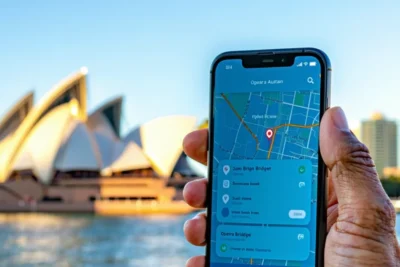
Public Wi-Fi Safety in Australia: Complete Security Guide 2026


Every day, millions of Australians connect to public Wi-Fi networks in cafes, airports, shopping centres, and libraries across the country. While these free internet connections offer convenience and help save mobile data, they also present significant cybersecurity risks that many users don’t fully understand. From data interception to malware distribution, public Wi-Fi networks can expose your personal information, financial details, and sensitive accounts to cybercriminals operating on the same network.
The Australian Cyber Security Centre (ACSC) regularly warns about the dangers of unsecured public networks, yet research shows that over 70% of Australians continue to use public Wi-Fi without proper security measures. Understanding these risks and implementing smart usage practices isn’t just recommended – it’s essential for protecting your digital life. Whether you’re a student researching at university, a professional working remotely, or a traveller staying connected, knowing how to safely navigate public Wi-Fi networks can prevent costly security breaches and identity theft.
This comprehensive guide explores the current state of public Wi-Fi security in Australia, identifies the major threats you face, and provides practical strategies for using these networks safely. From choosing legitimate hotspots to implementing VPN protection and recognising when to avoid public networks entirely, you’ll learn everything needed to stay secure while staying connected.
TL;DR: Key Takeaways for Safe Public Wi-Fi Use in Australia
The biggest risk of using public Wi-Fi is data interception by cybercriminals on the same network, who can potentially access your passwords, financial information, and personal files through various attack methods including man-in-the-middle attacks and fake hotspots.
- Always verify network legitimacy with venue staff before connecting, and avoid networks with generic names or no password requirements
- Use a reputable VPN service to encrypt your internet traffic and protect sensitive data from interception
- Enable device security settings including firewalls, disable file sharing, and set your network type to ‘public’
- Stick to HTTPS websites and avoid online banking, shopping, or accessing sensitive accounts without proper protection
- Consider mobile data alternatives like smartphone hotspots for important tasks requiring secure connections
- Enable two-factor authentication on all important accounts and use password managers for enhanced security
- Report security incidents to the ACSC through ReportCyber if you suspect your data has been compromised
Understanding Public Wi-Fi Security in Australia
Public Wi-Fi networks are internet connections available to the general public, typically found in high-traffic locations across Australia. These networks operate differently from your home or office Wi-Fi, creating unique security challenges that every user should understand before connecting.
What Defines Public Wi-Fi Networks
Public Wi-Fi refers to wireless internet access points that allow multiple users to connect simultaneously without requiring personal authentication or ownership verification. In Australia, you’ll commonly encounter these networks in:
- Cafes and restaurants – Most establishments offer free Wi-Fi to attract customers
- Libraries and educational institutions – Public libraries provide internet access as a community service
- Airports and transport hubs – Major airports like Sydney Kingsford Smith and Melbourne Tullamarine offer extensive Wi-Fi coverage
- Shopping centres – Westfield, Chadstone, and other major retail centres provide network access
- Hotels and accommodation – Most lodging facilities include Wi-Fi as a standard amenity
- Public spaces – Parks, beaches, and city centres increasingly offer municipal Wi-Fi
How Public Networks Differ from Private Security Architecture
The fundamental difference between public and private Wi-Fi lies in their security architecture and access controls. Private networks typically implement multiple layers of protection, while public networks prioritise accessibility over security.
Private Network Security Features:
- WPA3 or WPA2 encryption with personalised passwords
- Network access control limiting device connections
- Firewall protection and intrusion detection systems
- Device isolation preventing communication between connected devices
- Regular security updates and monitoring
Public Network Limitations:
- Open networks with no encryption or shared passwords
- Minimal access controls allowing anyone to connect
- Limited network monitoring and security oversight
- Shared network resources increasing vulnerability exposure
- Inconsistent security standards across different providers
Public Wi-Fi Prevalence and Government Guidelines in Australia
Australia has embraced widespread public Wi-Fi deployment, with the Australian Communications and Media Authority (ACMA) reporting significant growth in public network availability across urban and regional areas. Major cities like Sydney, Melbourne, Brisbane, and Perth have extensive public Wi-Fi infrastructure covering business districts, transport networks, and recreational areas.
The Australian Cyber Security Centre (ACSC) provides comprehensive guidelines for public Wi-Fi security, emphasising the shared responsibility between network providers and users. The government’s Essential Eight cybersecurity framework includes recommendations specifically addressing public network usage for both individuals and organisations.
Key government initiatives include:
- The Digital Economy Strategy promoting secure digital infrastructure
- Cybersecurity awareness campaigns targeting public Wi-Fi risks
- Industry standards for public network security implementation
- Consumer protection guidelines for Wi-Fi service providers
Essential Security Principles for Public Wi-Fi
Understanding basic security principles helps you make informed decisions about public Wi-Fi usage. These fundamental concepts form the foundation of network security and directly impact your data protection.
Encryption: This process scrambles data transmission between your device and the network, making intercepted information unreadable to unauthorised parties. Public networks often lack proper encryption, leaving your data vulnerable during transmission. Look for networks using WPA2 or WPA3 security protocols, though even these may use shared passwords that reduce overall security effectiveness.
Authentication: This verifies the identity of users and devices attempting network access. Strong authentication requires unique credentials for each user, while weak authentication relies on shared passwords or no verification at all. Many public networks use minimal authentication, allowing anyone to connect without proper identity verification.
Network Isolation: This security measure prevents connected devices from communicating directly with each other, reducing the risk of lateral attacks. Properly configured public networks implement client isolation, ensuring your device cannot be accessed by other users on the same network. However, not all public Wi-Fi providers implement this crucial security feature.
These principles work together to create layered security, but public Wi-Fi networks often compromise on one or more areas to prioritise ease of access and user convenience over robust protection.
Major Security Risks of Public Wi-Fi Networks
Understanding the security risks of public Wi-Fi networks in Australia helps you recognise potential threats before they compromise your personal information. These vulnerabilities exist across shopping centres, airports, cafes, and hotels throughout the country, making awareness crucial for safe internet usage.
Data Interception and Eavesdropping Threats
Cybercriminals on the same public network can intercept your data transmissions using readily available software tools. This eavesdropping occurs when your device communicates with websites, email servers, or applications without proper encryption. Attackers position themselves between your device and the network router, capturing sensitive information including login credentials, credit card details, and personal communications as they travel across the network.
Man-in-the-Middle Attacks and Fake Hotspots
Malicious actors create fake Wi-Fi hotspots with names similar to legitimate networks, tricking users into connecting to compromised access points. These rogue networks allow attackers to monitor all internet traffic, redirect users to malicious websites, and steal authentication credentials. The fake hotspot appears legitimate, often using names like “Free_WiFi” or mimicking nearby business names, making detection difficult without proper verification methods.
Malware Distribution and Device Compromise
Public networks with weak security configurations become distribution channels for malware, allowing attackers to push malicious software directly to connected devices. Compromised networks can automatically download viruses, spyware, or ransomware onto smartphones, laptops, and tablets. This malware installation often occurs silently in the background, giving attackers persistent access to your device even after disconnecting from the public network.
Unencrypted Data Transmission Vulnerabilities
Many public Wi-Fi networks transmit data without encryption, sending your information in plain text format that anyone with basic technical knowledge can read. This exposure affects web browsing, email access, and application usage, particularly when connecting to websites without HTTPS protection. Unencrypted transmission means your passwords, personal messages, and financial information travel across the network visible to potential attackers monitoring network traffic.
Session Hijacking and Account Takeover Risks
Attackers can steal your active session cookies and authentication tokens, allowing them to impersonate your online accounts without knowing your passwords. This session hijacking grants immediate access to your social media profiles, email accounts, and even banking services if you remain logged in. The attack succeeds because the network treats the hijacked session as legitimate, bypassing normal security measures and giving attackers full account control.
Device Visibility and File Access Threats
Public networks often allow connected devices to see and potentially access each other, creating opportunities for unauthorised file access and device intrusion. Your smartphone, laptop, or tablet becomes visible to other network users, who may attempt to access shared folders, exploit open ports, or launch direct attacks against your device. This visibility extends to file sharing services and network discovery protocols that automatically announce your device presence to other connected users.
These security risks highlight why public Wi-Fi networks require careful consideration and protective measures. While convenient for staying connected, understanding these threats helps you make informed decisions about when and how to use public networks safely. Consider implementing additional security measures such as VPN services, which can help protect your data even on unsecured networks, similar to how you might protect your financial transactions when setting up secure payment methods for online banking.
How to Identify Legitimate Public Wi-Fi Networks
Distinguishing between legitimate and malicious Wi-Fi networks is crucial for your digital safety. Cybercriminals often create fake hotspots that mimic genuine networks to steal personal information from unsuspecting users. Learning to verify network authenticity protects you from falling victim to these sophisticated attacks.
Verifying Network Names with Venue Staff
Always confirm the official network name directly with venue staff or check official signage before connecting. Legitimate businesses typically display their Wi-Fi network name prominently near reception areas, on menus, or through dedicated signage. Staff members can provide the exact network name (SSID) and any required passwords, ensuring you connect to the authorised network rather than a malicious imposter operating nearby.
Many establishments also provide network details on receipts, business cards, or table tents. This official documentation serves as verification that you’re connecting to the intended network rather than a cleverly named fake hotspot designed to intercept your data.
Recognising Suspicious Network Names and Duplicate SSIDs
Be wary of networks with generic names like “Free WiFi,” “Public Internet,” or slight variations of legitimate business names. Attackers often create networks with names similar to genuine hotspots, such as “Starbucks_WiFi” instead of the official “Starbucks WiFi.” These subtle differences can easily fool users who aren’t paying close attention to network names.
Multiple networks with identical or nearly identical names represent a significant red flag. If you see several networks named “McDonald’s Free WiFi” with different signal strengths, one is likely fraudulent. Legitimate businesses typically operate a single official network, though larger venues may have multiple access points broadcasting the same authenticated network name.
Understanding Password Protection Levels
Password-protected networks generally offer better security than completely open networks, though both require caution in public settings. Networks requiring passwords create an encrypted connection between your device and the access point, making it harder for nearby attackers to intercept your data. However, when everyone shares the same password, the protection primarily guards against casual eavesdropping rather than determined cybercriminals.
Open networks provide no encryption whatsoever, making all transmitted data visible to anyone with basic network monitoring tools. While convenient for quick connections, these networks expose your internet activity to potential surveillance and data theft. Consider your activity level and data sensitivity when choosing between password-protected and open public networks.
Checking for Official Branding and Authentication
Legitimate public Wi-Fi networks often redirect users to official landing pages featuring proper branding, terms of service, and authentication requirements. These captive portals typically display the business logo, contact information, and professional design elements that match the venue’s overall branding. Some networks require email registration or social media authentication, adding an extra layer of legitimacy verification.
Authentic authentication pages use secure HTTPS connections and display proper security certificates when handling personal information. Be suspicious of landing pages with poor design, spelling errors, or requests for sensitive information like credit card details or social security numbers, as legitimate public Wi-Fi rarely requires such data for basic internet access.
Red Flags to Avoid
Several warning signs indicate potentially malicious networks that you should avoid entirely. Networks with generic names like “Free Internet Access” or “Public WiFi” often represent fake hotspots created by cybercriminals. Similarly, networks requiring no password in high-security environments like airports or government buildings should raise immediate suspicion.
Networks with unusually strong signals in unexpected locations may indicate portable hotspots operated by attackers positioned nearby. Additionally, be cautious of networks that automatically connect your device without permission or prompt immediate software downloads upon connection. These behaviours suggest malicious intent rather than legitimate public internet access.
Trust your instincts when evaluating network legitimacy. If something feels suspicious about a Wi-Fi network, consider using your mobile data instead or finding an alternative connection method. Taking extra precautions with public networks helps protect your personal information and financial data from potential theft, much like how you would verify secure connections when setting up PayID for banking transactions.
Essential Device Security Settings for Public Wi-Fi
Configuring your device properly before connecting to public Wi-Fi networks in Australia creates multiple layers of protection against potential security threats. These essential settings help minimize your exposure to risks while maintaining functionality for legitimate internet access.
Disabling Automatic Connection Features
Turn off automatic Wi-Fi connection and network discovery features on all your devices. These settings prevent your device from automatically connecting to previously used networks or broadcasting your presence to nearby hotspots. On Windows devices, disable “Connect to suggested open hotspots” and “Connect to networks shared by my contacts.” For smartphones, turn off “Auto-join” features and disable Wi-Fi scanning when location services are active.
Network discovery features also pose security risks by making your device visible to other users on the same network. Disabling these features ensures your device operates in stealth mode, reducing the likelihood of targeted attacks from other users sharing the public connection.
Turning Off File and Device Sharing
Disable all file sharing, printer sharing, and AirDrop functionality before connecting to public networks. These features create direct pathways for attackers to access your files or install malicious software. On Windows, turn off network discovery, file sharing, and printer sharing in Network and Sharing Center settings. Mac users should disable AirDrop, file sharing, and screen sharing in System Preferences.
Mobile devices require similar precautions. Disable Bluetooth when not needed, turn off hotspot sharing, and ensure AirDrop or similar file-sharing features are set to “receiving off” or “contacts only” modes. These simple adjustments significantly reduce your attack surface while using public Wi-Fi.
Activating Firewall and Security Software
Enable your device firewall and ensure antivirus software remains active and updated. Firewalls act as the first line of defense against incoming connection attempts from other network users. Windows Defender Firewall should be enabled for both private and public networks, while Mac users should activate the built-in firewall in Security & Privacy settings.
Verify that your antivirus software includes real-time protection and web browsing security features. These tools help detect and block malicious websites, phishing attempts, and malware downloads that commonly target public Wi-Fi users. Regular software updates ensure your security tools can identify the latest threats.
Setting Network Type to Public
Always configure your network connection type as “public” rather than “private” or “home” when connecting to public Wi-Fi. This setting automatically applies more restrictive security policies, including enhanced firewall rules and disabled network discovery features. Windows typically prompts for this choice upon first connection, while other operating systems may require manual configuration in network settings.
Public network settings prevent your device from trusting other computers on the same network and disable features like file sharing that could compromise your security. This configuration treats all other network users as potential threats, which represents the appropriate security posture for public Wi-Fi environments.
Managing Saved Network Preferences
Regularly review and remove saved network profiles for untrusted or suspicious connections. Saved networks with automatic connection enabled can reconnect your device to potentially compromised hotspots without your knowledge. Access your Wi-Fi settings to delete profiles for networks you no longer use or trust.
Pay particular attention to networks with generic names or those you cannot clearly identify. Remove any saved profiles that might represent fake hotspots or compromised networks you may have inadvertently connected to previously. This practice prevents automatic reconnection to potentially dangerous networks.
Regular Device Maintenance
Restart your device regularly to clear potential malware and reset network connections. This simple practice helps eliminate temporary infections and clears cached network data that might contain security vulnerabilities. Consider restarting your device after each public Wi-Fi session, particularly when using networks in high-traffic locations like airports or shopping centers.
Regular restarts also ensure that security updates take effect and that your device operates with the latest protection mechanisms. Combined with proper network configuration, these maintenance practices create a robust defense against the various threats associated with public Wi-Fi usage in Australia.
Using VPNs for Enhanced Public Wi-Fi Security
Virtual Private Networks (VPNs) represent the most effective security solution for protecting your data when using public Wi-Fi in Australia. These services create an encrypted tunnel between your device and the internet, ensuring that even if cybercriminals intercept your data on unsecured networks, they cannot decipher the information.
How VPNs Encrypt Internet Traffic and Mask IP Addresses
VPNs employ advanced encryption protocols to scramble your internet traffic before it leaves your device. When you connect to a VPN server, all data passes through an encrypted tunnel using protocols like OpenVPN, IKEv2, or WireGuard. This encryption makes your information unreadable to anyone monitoring the network, including hackers using packet sniffing tools on public Wi-Fi hotspots.
Additionally, VPNs mask your real IP address by routing your traffic through their servers. This process assigns you a new IP address from the VPN provider’s pool, making it impossible for third parties to trace your online activities back to your actual location or identity. This IP masking proves particularly valuable when using public networks in hotels, cafes, or airports where multiple users share the same connection.
Choosing Reputable VPN Providers with Strong Privacy Policies
Selecting a trustworthy VPN provider requires careful evaluation of their privacy policies and logging practices. Look for providers that maintain strict no-logs policies, meaning they do not store records of your browsing activities, connection times, or data transfers. Reputable providers undergo regular third-party audits to verify these claims and demonstrate their commitment to user privacy.
Consider providers based in privacy-friendly jurisdictions outside the “Five Eyes” intelligence alliance, which includes Australia. Countries like Switzerland, Panama, or the British Virgin Islands offer stronger privacy protections and are less likely to cooperate with data requests from government agencies. Additionally, examine the provider’s transparency reports and their history of handling government data requests.
Free vs Paid VPN Options: Benefits and Limitations
Free VPN services often come with significant limitations that may compromise your security and privacy. Many free providers restrict bandwidth, limit server locations, and may log user data to generate revenue through advertising partnerships. Some free VPNs have been found to inject ads into web pages or even sell user data to third parties, defeating the purpose of using a VPN for privacy protection.
Paid VPN services typically offer superior security features, including stronger encryption protocols, larger server networks, and reliable customer support. Premium providers invest in maintaining secure infrastructure and can afford to operate without compromising user privacy for revenue. The monthly cost of a quality VPN service represents a small investment compared to the potential financial losses from identity theft or data breaches on public Wi-Fi networks.
Setting Up VPN on Different Devices
Modern VPN providers offer dedicated applications for smartphones, laptops, and tablets, making installation straightforward across all your devices. For smartphones, download the official app from your device’s app store, create an account, and follow the setup wizard to configure the connection. Most mobile VPN apps include features like automatic connection to secure networks and kill switches that disconnect internet access if the VPN connection drops.
Laptop setup typically involves downloading the desktop client from the provider’s website and installing it like any other software application. Many VPN clients offer advanced features for computer users, including split tunneling options that allow you to route specific applications through the VPN while others use your regular connection. Tablet setup mirrors the smartphone process, with apps available through platform-specific stores.
For maximum protection, configure your VPN to automatically connect when joining unknown networks. This feature ensures you never forget to activate protection when connecting to public Wi-Fi hotspots in shopping centers, libraries, or transportation hubs across Australia.
VPN Performance Considerations on Public Networks
VPN usage typically reduces internet speeds due to the encryption process and the additional routing through VPN servers. Expect speed reductions of 10-50% depending on your chosen server location, encryption protocol, and the quality of the public Wi-Fi network. To minimize performance impact, select VPN servers geographically close to your location and choose providers with high-speed infrastructure.
Some VPN protocols offer better performance than others on public networks. WireGuard protocol generally provides the best balance of security and speed, while OpenVPN offers maximum compatibility with different network configurations. Avoid using VPNs for bandwidth-intensive activities like streaming high-definition video on public networks, as this may result in poor performance and potential connection drops.
Australian VPN Regulations and Recommended Providers
Australia’s data retention laws require telecommunications providers to store metadata for two years, but VPN usage remains legal for individual consumers. However, choose VPN providers that operate outside Australian jurisdiction to ensure your data remains protected from local data retention requirements. The Australian government cannot compel foreign VPN providers to store or surrender user data in the same way they can with domestic companies.
Recommended VPN providers for Australian users include NordVPN, ExpressVPN, and Surfshark, all of which maintain servers in Australia for optimal local performance while being based in privacy-friendly jurisdictions. These providers offer strong encryption, verified no-logs policies, and reliable performance on Australian internet infrastructure. When traveling internationally, having access to Australian VPN servers also allows you to access geo-restricted local content and services.
Safe Browsing Practices on Public Networks
When connected to public Wi-Fi in Australia, your browsing habits become the first line of defense against cyber threats. Understanding how to identify secure websites and implement safe browsing practices can protect your personal information from malicious actors who may be monitoring network traffic.
Identifying HTTPS Websites and Secure Connections
The padlock icon in your browser’s address bar serves as your primary indicator of a secure connection. Look for “https://” at the beginning of website URLs rather than “http://” – the ‘s’ stands for secure and indicates that data transmitted between your device and the website is encrypted. On public networks, this encryption becomes crucial as it prevents nearby users from intercepting your login credentials, credit card information, and other sensitive data.
Modern browsers display the padlock icon prominently in the address bar, often accompanied by the word “Secure” for additional clarity. Click on this padlock to view certificate details and verify the website’s identity. Be particularly cautious of websites that display mixed content warnings, which indicate that some elements on the page are loading over unsecured HTTP connections despite the main page being HTTPS.
Understanding Encryption Indicators and Avoiding HTTP Sites
HTTP websites transmit data in plain text, making them extremely vulnerable on public networks. Avoid entering any personal information on HTTP sites, including email addresses, passwords, or payment details. Many browsers now display “Not Secure” warnings for HTTP sites, particularly when they contain form fields that request sensitive information.
Some websites may appear to use HTTPS but have invalid or expired certificates. Your browser will display prominent warnings about these sites, advising you not to proceed. Never bypass these certificate warnings on public networks, as they may indicate a man-in-the-middle attack where someone is intercepting your connection.
Browser Security Extensions and Privacy-Focused Options
Installing security extensions can significantly enhance your protection on public Wi-Fi networks. HTTPS Everywhere automatically redirects you to secure versions of websites when available, while ad blockers like uBlock Origin prevent malicious advertisements that could compromise your device. Privacy-focused browsers like Firefox with strict privacy settings or Brave browser offer built-in protection against tracking and malicious content.
Consider using browser extensions that block scripts and plugins by default, such as NoScript or ScriptSafe. While these may initially break some website functionality, they prevent malicious code from executing automatically when you visit compromised sites. Configure these extensions to allow scripts only from trusted domains.
Responding to Security Certificate Warnings
When your browser displays certificate warnings on public networks, treat them as serious security alerts. These warnings may indicate that someone is attempting to intercept your connection using a fake certificate. Common warning messages include “Your connection is not private,” “Certificate error,” or “Potential security risk ahead.”
If you encounter certificate warnings for legitimate websites you regularly use, disconnect from the public network and try accessing the site using your mobile data connection. If the certificate warning disappears, this suggests the public network may be compromised. Never click “Advanced” and proceed to sites with certificate errors when using public Wi-Fi.
Safe Search Practices and Download Precautions
Limit your search activities to reputable search engines and avoid clicking on suspicious links or advertisements. Be particularly cautious of search results that promise free downloads, software updates, or “too good to be true” offers. These often lead to malicious websites designed to install malware on your device.
Avoid downloading any files while connected to public Wi-Fi networks, including software updates, documents, or media files from unknown sources. If you must download something urgent, verify the file’s authenticity by checking digital signatures or checksums when possible. Consider postponing non-essential downloads until you’re on a trusted network.
Optimizing Browser Settings for Enhanced Privacy
Configure your browser for maximum privacy before connecting to public networks. Enable private browsing mode to prevent storing browsing history, cookies, and form data locally. Disable location services, camera, and microphone permissions for websites unless absolutely necessary. Turn off automatic form filling and password saving features that could expose sensitive information if your device is compromised.
Set your browser to clear cookies and site data when you close it, and disable third-party cookies entirely. Configure DNS-over-HTTPS in browsers that support it, such as Firefox or Chrome, to encrypt your DNS queries and prevent network administrators from monitoring which websites you visit. These settings provide an additional layer of protection when managing sensitive financial transactions or accessing personal accounts on public networks.
Activities to Avoid on Public Wi-Fi
Understanding which activities pose the greatest risk on public Wi-Fi networks is crucial for maintaining your digital security. Certain online behaviours can expose your sensitive information to cybercriminals who monitor these unsecured connections. Here are the key activities you should avoid when connected to public Wi-Fi in Australia.
Financial Transactions and Banking Activities
Never conduct online banking or financial transactions while connected to public Wi-Fi networks. This includes checking account balances, transferring money, paying bills, or accessing investment portfolios. Cybercriminals can easily intercept login credentials and financial data transmitted over unsecured connections, potentially leading to unauthorised access to your accounts.
If you need to handle urgent financial matters while away from home, consider using your mobile data instead or setting up secure payment methods like PayID that offer additional protection layers. Wait until you have access to a trusted network before conducting any banking activities.
Online Shopping and Credit Card Usage
Avoid entering credit card details or making online purchases on public Wi-Fi. Shopping websites may not always use adequate encryption, and even those that do can be vulnerable to man-in-the-middle attacks on unsecured networks. Your payment information, including card numbers, expiry dates, and CVV codes, can be intercepted and misused.
If you must make an urgent purchase, use your mobile data connection or consider digital wallets like Apple Pay or Google Pay, which provide additional security layers through tokenisation.
Accessing Sensitive Work Documents
Refrain from accessing confidential work documents, company databases, or sensitive business information while on public Wi-Fi. This includes logging into corporate networks, accessing cloud-based work platforms, or downloading proprietary files. Such activities can expose your organisation to data breaches and potentially violate workplace security policies.
Many companies provide VPN access for remote work specifically to address this security concern. Always use your organisation’s approved secure connection methods when accessing work-related materials remotely.
Important Account Access Without Two-Factor Authentication
Logging into important accounts without two-factor authentication enabled significantly increases your vulnerability on public networks. This includes email accounts, social media profiles, cloud storage services, and any accounts containing personal information. Without the additional security layer of two-factor authentication, stolen login credentials provide immediate access to your accounts.
Before using public Wi-Fi, ensure all your important accounts have two-factor authentication enabled. This provides protection even if your login credentials are compromised during your session.
Software Downloads and Updates
Never download software, applications, or system updates while connected to public Wi-Fi networks. Cybercriminals can intercept download requests and replace legitimate software with malicious versions containing malware, spyware, or ransomware. This technique, known as a “malicious hotspot” attack, can compromise your entire device.
Disable automatic updates on your devices when using public Wi-Fi, and postpone any software installations until you return to a trusted network. If you receive urgent update notifications, verify their authenticity through official channels before proceeding.
Personal Cloud Storage Access
Avoid accessing personal cloud storage services containing sensitive files, such as tax documents, medical records, legal papers, or personal photos. While many cloud services use encryption, the login process and data transmission can still be vulnerable on unsecured public networks.
If you need to access cloud storage urgently, limit your activities to viewing non-sensitive files and avoid uploading or downloading important documents. Consider using your mobile data connection for better security when accessing personal cloud storage services.
Smart Alternatives to Public Wi-Fi
While public Wi-Fi networks are convenient, having reliable alternatives can help you stay connected safely without compromising your security. These smart alternatives provide better protection for your data and give you more control over your internet connection.
Using Mobile Data Hotspots and Tethering
Your smartphone’s mobile hotspot feature creates a secure, password-protected network using your cellular data connection. This method provides significantly better security than public Wi-Fi networks because the connection is encrypted and controlled entirely by you.
Most Australian mobile carriers offer generous data allowances that make hotspot usage practical for regular internet activities. Enable hotspot mode in your phone’s settings, create a strong password, and connect your other devices to this secure network. Remember that hotspot usage will consume your mobile data allowance more quickly than normal phone usage.
Comparing Data Plan Costs vs Public Wi-Fi Risks
When evaluating whether to use mobile data instead of public Wi-Fi, consider the potential costs of a security breach against your data plan expenses. A single incident of identity theft or compromised banking information can result in thousands of dollars in damages and countless hours resolving issues.
Australian mobile carriers like Telstra, Optus, and Vodafone offer competitive data plans with generous allowances. Many unlimited plans cost between $50-80 per month, which represents excellent value when compared to the potential financial and personal costs of using unsecured public networks for sensitive activities.
Portable Wi-Fi Devices and Travel Routers
Portable Wi-Fi devices, also known as pocket Wi-Fi or MiFi devices, create secure networks using cellular connections. These battery-powered devices can connect multiple devices simultaneously and often provide better range and battery life than smartphone hotspots.
Travel routers offer another solution by creating secure networks from existing internet connections. These compact devices can connect to hotel ethernet ports or even public Wi-Fi networks, then broadcast a secure, encrypted network for your devices. Popular models include the GL.iNet travel routers and TP-Link portable routers available through Australian electronics retailers.
Planning Ahead: Downloading Content for Offline Use
Reduce your dependence on public Wi-Fi by downloading content before leaving secure networks. Most streaming services like Netflix, Spotify, and YouTube allow offline downloads when connected to trusted networks at home or work.
Download maps for offline navigation using Google Maps or Apple Maps, sync your email for offline reading, and save important documents to your device. This preparation reduces the need to connect to potentially unsafe public networks while travelling or working remotely.
Finding Secure, Trusted Networks
Some public locations offer more secure Wi-Fi options than others. Australian libraries typically provide well-maintained, monitored networks with reasonable security measures. Many libraries require library card registration, which adds a layer of accountability and reduces the likelihood of malicious users.
Co-working spaces and business centres often invest in enterprise-grade security for their networks. These venues typically implement proper network segmentation, regular security updates, and monitoring systems. While not completely risk-free, these networks generally offer better security than completely open public Wi-Fi in cafes or shopping centres.
When using any public network, verify the network name with staff members to ensure you’re connecting to the legitimate network rather than a malicious hotspot with a similar name.
Emergency Connectivity Options and Backup Plans
Prepare for situations where your primary internet connection fails by having multiple backup options available. Keep a list of nearby locations with reliable Wi-Fi, such as libraries, McDonald’s restaurants, or major shopping centres that offer free internet access.
Consider purchasing a prepaid mobile broadband plan as an emergency backup. Australian carriers offer flexible prepaid options that can be activated quickly when needed. Some international travellers also benefit from eSIM solutions that provide data access without requiring physical SIM card changes.
For critical business needs, satellite internet services like Starlink are becoming more accessible in Australia, providing reliable backup connectivity even in remote areas. While more expensive than traditional options, these services can be invaluable for essential communications during emergencies or in areas with poor cellular coverage.
Multi-Factor Authentication and Password Security
Strong authentication practices form the foundation of safe public Wi-Fi usage in Australia. When connecting to unsecured networks, your login credentials become particularly vulnerable to interception, making robust password security and multi-factor authentication essential protective measures.
Enabling Two-Factor Authentication on All Important Accounts
Two-factor authentication (2FA) provides an additional security layer that remains effective even if your password gets compromised on public networks. Enable 2FA on all critical accounts including email, banking, social media, and work-related services. Australian banks like ANZ, CommBank, Westpac, and NAB all support 2FA through their mobile apps, providing secure access even when using public Wi-Fi.
Priority accounts for 2FA implementation include your primary email account (which often serves as recovery for other services), banking and financial platforms, cloud storage services, and any accounts containing sensitive personal information. The extra few seconds required for authentication significantly outweigh the security risks of relying solely on passwords.
Using Password Managers for Secure Credential Storage
Password managers eliminate the biggest risk of using public WiFi networks by generating and storing unique, complex passwords for every account. Popular options like Bitwarden, 1Password, or LastPass encrypt your credentials locally before syncing, ensuring that even if network traffic gets intercepted, your passwords remain protected.
These tools automatically fill login forms, reducing the risk of keylogger attacks that might capture your typing on compromised networks. Many password managers also include breach monitoring, alerting you when credentials associated with your accounts appear in data breaches, allowing for immediate password updates.
Creating Unique, Strong Passwords for Different Services
Never reuse passwords across multiple accounts, especially when accessing services over public networks. Each password should contain at least 12 characters, combining uppercase and lowercase letters, numbers, and special characters. Avoid predictable patterns or personal information that could be guessed or researched.
Consider using passphrases instead of complex character combinations. A phrase like “Coffee-Kangaroo-Sunset-2024!” is both memorable and secure, while being significantly harder to crack than shorter, complex passwords. This approach proves particularly valuable when you need to manually enter passwords on public terminals or shared devices.
Regular Password Updates and Security Audits
Conduct quarterly security audits of your accounts, updating passwords for services you’ve accessed over public networks. Pay particular attention to accounts used frequently while traveling or working remotely, as these face higher exposure risks. Set calendar reminders to review and update critical account passwords every 90 days.
Monitor your accounts for unusual activity, especially after using public Wi-Fi networks. Check login histories and authorized devices regularly, removing any unrecognized access points. Australian financial institutions provide detailed transaction histories and login logs that help identify potential security breaches quickly.
Understanding SMS vs App-Based Authentication Methods
App-based authentication using tools like Google Authenticator, Microsoft Authenticator, or Authy provides superior security compared to SMS-based 2FA. These apps generate time-based codes locally on your device, eliminating the risk of SMS interception that can occur on compromised networks or through SIM swapping attacks.
While SMS authentication remains better than no 2FA at all, app-based methods work offline and aren’t vulnerable to network-based attacks. Australian telecommunications providers have implemented additional SIM security measures, but app-based authentication still offers the most robust protection for critical accounts.
Backup Authentication Methods and Recovery Options
Establish multiple backup authentication methods before relying on public networks. Generate and securely store backup codes for each 2FA-enabled account, keeping them in a separate location from your primary device. Consider using hardware security keys like YubiKey for the most sensitive accounts, as these provide phishing-resistant authentication.
Configure account recovery options carefully, using secure email addresses and phone numbers that you control. For critical financial accounts, consider setting up secure payment methods like PayID through your Australian bank, which adds an additional layer of verification for financial transactions. Keep recovery information updated and test backup methods periodically to ensure they work when needed.
Document your authentication setup in a secure location, including which accounts use which 2FA methods and where backup codes are stored. This preparation proves invaluable when accessing accounts from public networks or when your primary authentication device becomes unavailable.
What to Do If Your Security Is Compromised
If you suspect your security has been compromised while using public Wi-Fi in Australia, immediate action can prevent further damage and protect your personal information. Security incidents can range from unauthorised account access to malware infections, making swift response crucial for minimising impact.
Immediate Disconnection and Password Changes
Disconnect from the public network immediately upon detecting suspicious activity. Switch to your mobile data or a trusted network before taking any remedial action. Change passwords for all accounts accessed during the compromised session, starting with the most critical ones like banking, email, and social media accounts.
Use a secure device that wasn’t connected to the compromised network for password changes. Create strong, unique passwords for each account, and avoid using the same device that may have been infected. If you’ve set up secure payment methods like PayID through your Australian bank, verify these accounts haven’t been tampered with and update their security settings if necessary.
Account Monitoring and Suspicious Activity Detection
Monitor all your accounts for unauthorised access, unusual login locations, or unexpected transactions. Check email accounts for password reset requests you didn’t initiate, and review recent login activity in account security settings. Australian banks typically provide real-time transaction alerts, so enable these notifications if you haven’t already.
Review credit card and bank statements carefully for fraudulent charges, no matter how small. Scammers often test stolen payment information with minor transactions before making larger purchases. Contact your financial institutions immediately if you notice any unauthorised activity, as Australian consumer protection laws provide stronger safeguards when fraud is reported promptly.
Security Scans and Malware Detection
Run comprehensive security scans on all devices that connected to the compromised network. Use reputable antivirus software to detect malware, spyware, and other malicious programs that may have been installed. Update your operating system and all applications to patch any security vulnerabilities that attackers might exploit.
Consider using specialised malware removal tools if your regular antivirus software detects threats. Clear browser caches, cookies, and stored passwords from the period when you were connected to the unsecured network. Reset browser security settings to default and disable any suspicious browser extensions that may have been installed without your knowledge.
Reporting to Relevant Authorities
Report cybersecurity incidents to the Australian Cyber Security Centre (ACSC) through their ReportCyber portal. This helps authorities track cybercrime trends and may assist in preventing similar attacks. If financial fraud is involved, contact your banks immediately and file reports with local police if significant losses occur.
Notify your employer’s IT security team if you accessed work accounts or systems during the incident. Many Australian organisations have specific incident response procedures that must be followed when work devices or accounts are potentially compromised. Report identity theft to IDCARE, Australia’s national identity and cyber support service, which provides free assistance to victims.
Documentation and Evidence Preservation
Document all evidence of the security breach, including screenshots of suspicious activities, unusual account notifications, and any error messages encountered. Keep records of when and where the incident occurred, which networks you connected to, and what actions you took in response.
Maintain security logs from your devices if available, as these may help identify how the breach occurred and what information was accessed. Save email notifications about suspicious login attempts or account changes, as these serve as evidence for insurance claims or legal proceedings if necessary.
Recovery Procedures and Professional Assistance
Implement a systematic recovery plan that includes updating all security software, reviewing and strengthening account security settings, and establishing new backup authentication methods. Consider engaging professional cybersecurity services if the breach involved business accounts or sensitive personal information.
Australian cybersecurity firms can provide incident response services, forensic analysis, and ongoing security monitoring. Many offer free initial consultations to assess the extent of damage and recommend appropriate recovery measures. For ongoing protection, invest in comprehensive security solutions that include VPN services, advanced malware protection, and continuous monitoring capabilities.
Review your overall digital security practices and implement stronger safeguards for future public Wi-Fi use. This incident response experience should inform better security habits, including the regular use of VPNs, more selective network connections, and enhanced authentication methods for all your online accounts.
Australian Cybersecurity Resources and Reporting
Australia provides comprehensive cybersecurity resources and reporting mechanisms to help citizens navigate public Wi-Fi security challenges and respond to cyber incidents. Understanding these resources empowers you to make informed decisions about your digital security and know where to turn when issues arise.
ACSC Guidelines and Essential Resources
The Australian Cyber Security Centre (ACSC) serves as the nation’s primary cybersecurity authority, offering detailed guidance on public Wi-Fi safety and threat mitigation. Their comprehensive resources include specific recommendations for verifying that a public wifi hotspot is legitimate, identifying common threats from using free wifi, and implementing protective measures for both personal and business use.
ACSC publishes regular threat intelligence reports highlighting emerging risks in public Wi-Fi environments, including new attack vectors and evolving cybercriminal tactics. Their practical guides cover essential topics such as recognizing legitimate hotel wifi networks, understanding what information is needed to connect safely to Wi-Fi networks, and determining when it’s safe to use hotel wifi with VPN protection.
ReportCyber Portal and Incident Response
The ReportCyber portal provides a centralized platform for reporting cybersecurity incidents, including those originating from public Wi-Fi breaches. This government-operated service enables individuals and businesses to report suspicious activities, data breaches, and security compromises while receiving guidance on immediate response measures.
When reporting incidents through ReportCyber, provide detailed information about the public Wi-Fi network involved, the nature of the security breach, and any suspicious activities observed. The portal connects victims with appropriate support services and helps coordinate responses with relevant law enforcement agencies when criminal activity is suspected.
Consumer Protection and Financial Support Services
Australian consumer protection agencies work alongside financial ombudsman services to assist victims of cybercrime originating from public Wi-Fi vulnerabilities. These organizations provide advocacy, dispute resolution, and compensation pathways when financial institutions or service providers fail to adequately protect customer data or respond appropriately to security breaches.
The Australian Financial Complaints Authority (AFCA) specifically handles disputes involving unauthorized transactions that may result from public Wi-Fi security compromises. They can investigate cases where banks or financial service providers deny liability for losses incurred through compromised public network connections, particularly when adequate security warnings weren’t provided.
Training Programs and Public Awareness Initiatives
Local cybersecurity training programs across Australia focus on practical skills for safe public Wi-Fi usage, including hands-on workshops for identifying legitimate networks, configuring VPN connections, and recognizing social engineering attempts in public spaces. Many programs specifically address the biggest risks of using public WiFi and provide step-by-step guidance on protective measures.
Community colleges, libraries, and cybersecurity organizations regularly host awareness sessions covering topics such as whether someone can access your phone through public WiFi, how to use public WiFi safely in various environments, and understanding the fundamental question of what is public WiFi and its inherent security limitations.
Government Wi-Fi Security Standards and Initiatives
Australian government initiatives establish security standards for public Wi-Fi infrastructure, particularly in government buildings, public transportation, and community facilities. These standards mandate encryption protocols, user authentication procedures, and network monitoring capabilities to reduce security risks for public users.
The government also promotes cybersecurity awareness through public campaigns highlighting safe practices for public Wi-Fi use. These initiatives include educational materials distributed through schools, workplaces, and community organizations, focusing on practical precautions you should take when using public WiFi and the safest ways to use public WiFi in different environments.
Industry Certification and Best Practice Programs
Australian cybersecurity certification programs provide professional training for IT specialists, network administrators, and security professionals responsible for managing public Wi-Fi infrastructure. These programs ensure that those designing and maintaining public networks understand current threat landscapes and implement appropriate security measures.
Industry best practice frameworks guide businesses in deploying secure public Wi-Fi services while maintaining user privacy and data protection. These standards address network segmentation, user activity monitoring, and incident response procedures that protect both service providers and end users from security compromises.
Professional certification bodies also maintain updated curricula reflecting evolving threats in public Wi-Fi environments, ensuring that cybersecurity professionals stay current with emerging attack methods and defensive strategies. This ongoing education supports the broader goal of creating safer public internet access across Australia’s digital infrastructure.
Frequently Asked Questions
Is it safe to use public Wi‑Fi in Australia?
It can be safe for low‑risk browsing, however you should assume public Wi‑Fi is a shared, untrusted network. Use it with the same caution you would use anywhere: avoid sensitive logins unless you are protected, and keep your device up to date.
What are the biggest risks on public Wi‑Fi?
- Fake hotspots that mimic a venue’s network name.
- Man‑in‑the‑middle attacks that try to intercept traffic.
- Account takeover if you log in over a compromised connection.
- Malware from unsafe downloads or pop‑ups.
Should I use a VPN on public Wi‑Fi?
Yes. A reputable VPN reduces interception risk by encrypting traffic between your device and the VPN server, making it harder for others on the same Wi‑Fi to read what you send.
If a website shows HTTPS, am I fully protected?
HTTPS is a strong baseline because it encrypts the connection to that site. Still, it doesn’t remove all risks on public networks. For example, fake hotspots can still log domains you visit, and phishing pages can still trick you into entering passwords.
How can I spot a fake public Wi‑Fi network?
- The network name is close to the venue’s but slightly different (extra words, misspellings, or unusual punctuation).
- There are multiple networks with the same name.
- The login portal asks for unusual details (for example, your email password).
- Venue staff can’t confirm the exact network name.
Should I do internet banking on public Wi‑Fi?
It’s best to avoid banking and other high‑risk logins on public Wi‑Fi. If you must, use mobile data or a trusted VPN, double-check you are using the official bank app or correct website, and keep MFA enabled.
What settings should I change before connecting in a cafe or airport?
- Turn off auto‑join for open networks.
- Disable file sharing and network discovery on laptops.
- Keep your firewall enabled.
- Turn off Bluetooth if you don’t need it.
- Set the network type to Public on Windows.
What should I do after using public Wi‑Fi?
- Forget the network so your device doesn’t auto‑reconnect later.
- Log out of sensitive accounts you used.
- Review important accounts for unusual sign‑ins.
- Update passwords if you suspect a compromise.
You May Also Like

Novated Lease vs Buying a Car in Australia (2026): Which Is Cheaper?

HECS-HELP Repayment Calculator 2026-27: Thresholds, Rates & How Much You Pay