
Didi Adelaide Guide 2026: Complete User & Driver Handbook

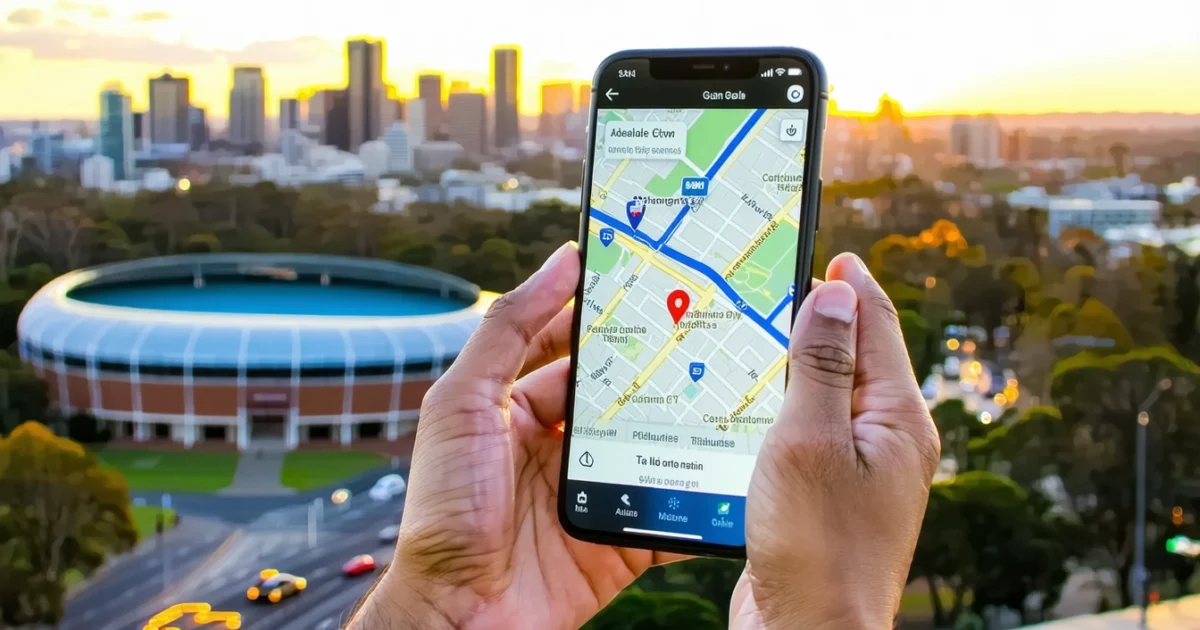
Didi Adelaide guide provides everything you need to know about using this popular ride-sharing platform in South Australia’s capital city. Additionally, Didi connects passengers with drivers through a user-friendly mobile app, with fares you can check in the app before you book. Furthermore, this Chinese-owned ride-sharing service is an alternative to traditional taxis and other ride-hailing platforms in Adelaide. Coverage, prices and features change, so confirm details in the app and on DiDi’s official Australian website.
Whether you’re a first-time user looking to book your initial ride or considering becoming a driver, understanding Didi’s features is essential. Moreover, the platform offers real-time GPS tracking, cashless payments, and extensive safety measures throughout Adelaide’s CBD, suburbs, and airport zones. Similarly, drivers benefit from flexible earning opportunities and comprehensive support systems.
This complete guide covers everything from app setup and fare structures to coverage areas and safety protocols. When comparing ride-sharing options, check Didi’s competitive pricing models and features in the app against other services. Consequently, both passengers and drivers can make the most of Didi in Adelaide.
TL;DR
- Didi Adelaide offers ride-sharing across the metropolitan area, with driver availability varying by suburb and time of day, and fares shown in the app before you book
- Users can easily book rides through the mobile app with cashless payments, while drivers earn flexible income with verified background checks
- DiDi says drivers can access a 24/7 dedicated support team and in-app safety features, and that safety critical incidents go to its 24/7 Incident Response Team via the app. Riders pay by card or PayPal, as cash is not accepted
What is Didi and how does it work in Adelaide?
Didi Chuxing operates as a comprehensive ride-sharing platform that connects passengers with verified drivers throughout Adelaide’s metropolitan region. Additionally, this Chinese technology company launched its Australian operations to provide affordable transportation alternatives across major cities. The platform functions through a sophisticated mobile application that facilitates seamless ride bookings, real-time tracking, and secure digital payments.
The Didi app serves as the central hub connecting riders with nearby drivers using advanced GPS technology and algorithmic matching systems. Furthermore, passengers can access various vehicle categories including economy rides, premium options, and larger vehicles for group travel. Meanwhile, drivers receive ride requests based on their proximity, availability, and passenger preferences within Adelaide’s coverage zones.
Step-by-Step Booking Process
- Download the Didi app from Google Play Store or Apple App Store and complete account registration
- Enter your pickup location using GPS detection or manual address input
- Select your destination and choose from available ride categories
- Review the estimated fare, driver details, and vehicle information
- Confirm your booking and track your driver’s arrival in real-time
- Complete the journey and process payment through the app’s digital system
The booking interface displays estimated arrival times that depend on driver availability and your location within Adelaide. Similarly, the app provides upfront fare estimates before confirmation. Consequently, passengers can make informed decisions about their transportation choices, although the final fare can differ from the estimate.
Real-Time Tracking and Navigation Features
GPS tracking technology enables passengers to monitor their driver’s location from pickup to destination throughout Adelaide’s road network. Moreover, the system provides accurate estimated time of arrival updates based on current traffic conditions and route optimization. The tracking feature also allows passengers to share their journey details with family members or colleagues for enhanced safety.
Navigation systems guide drivers through optimal routes using real-time traffic data and local road knowledge specific to Adelaide’s infrastructure. Additionally, the platform integrates with major mapping services to avoid construction zones, peak hour congestion, and road closures. Therefore, both passengers and drivers benefit from efficient journey planning and reduced travel times.
Tracking Benefits
Digital Payment System
The cashless payment system processes transactions automatically through linked credit or debit cards or PayPal after journey completion. DiDi’s Help Centre says it supports valid debit cards, credit cards and PayPal, and that cash is not accepted. Furthermore, passengers can add payment methods to their account. The system also generates receipts for expense tracking and business reimbursement purposes.
Payment processing occurs through the app, so there is no need to hand over cash to drivers. Check the app for which cards and wallets it currently supports, especially if you are a tourist or temporary resident using an overseas card. Learn more about Didi’s payment options to understand the transaction methods.
Payments run through the app’s payment system. Check DiDi’s privacy policy and the app’s help section for how your payment details are handled, and contact your bank if you see a payment you do not recognise.
Didi Coverage Areas and Availability in Adelaide
Didi operates in Adelaide (DiDi says it is available in 28 cities across Australia), but driver availability varies between areas and times of day. Understanding these patterns helps passengers plan their journeys and set realistic expectations for pickup times. All coverage information below is general guidance, so check the app for your pickup location.
Primary Service Zones Within Adelaide Metropolitan Area
Inner metropolitan areas generally have more drivers online because of higher population density and ride demand. Busy locations such as shopping centres and event venues tend to have more demand, so wait times can vary. Check the app for your exact pickup point.
Middle-ring and outer suburbs may have fewer drivers online, so passengers may experience longer wait times, particularly during off-peak periods. Coastal areas can be busier in summer when tourist activity increases demand.
CBD and City Center Coverage
Adelaide CBD generally has the most drivers online, making it a more reliable pickup location than outer suburbs. The central business district benefits from consistent demand from office workers, tourists, and entertainment venue patrons. Wait times can still rise around major events.
City centre coverage generally includes hotels, transport hubs, and commercial areas within the Adelaide Park Lands boundary. Wait times depend on how many drivers are online, and late-night periods usually have fewer drivers.
Suburban Areas and Outer Regions Served
Outer suburban areas generally have fewer drivers online and may have longer pickup times, especially during weekday mornings and evenings. Newer housing developments may have inconsistent coverage depending on driver availability.
Hills districts and areas far from the city may have fewer drivers, so passengers should expect longer waits and may need to book earlier. Similarly, coastal regions further south may have lower availability during peak demand periods.
Airport Pickup and Dropoff Availability
Adelaide Airport sets the rules for rideshare pick-up, including designated pick-up areas, and these can change. Follow the pick-up instructions shown in the app and on airport signage. Passengers may experience higher demand during peak flight arrival times, so booking a little ahead can help.
Drop-off arrangements and any airport access fees are set by the airport and can change. Check the fare estimate in the app for any airport-related charges, similar to other major Australian airports covered in our DiDi Melbourne guide.
Operating Hours and Peak Time Service
Didi is available through the app whenever drivers are online, though driver availability fluctuates between peak and off-peak periods. Demand is generally higher on weekday commutes and on weekend evenings around entertainment and hospitality venues.
Late-night and early-morning periods generally have fewer drivers online, resulting in longer wait times and potentially higher prices. If you need an early flight transfer, consider booking well in advance or arranging an alternative.
Areas with Limited or No Coverage
Remote areas far from the Adelaide CBD, including regional towns, may have minimal or no regular coverage. These locations may occasionally have drivers available, but passengers should not rely on consistent service. Check the app and consider other transport options for distant areas.
Additionally, some industrial zones and restricted areas may have limited access for rideshare vehicles due to security requirements or infrastructure limitations. Passengers traveling to specialized locations should verify pickup and dropoff feasibility before booking their journey through the platform.
How to Use Didi in Adelaide: Complete User Guide
Getting started with Didi in Adelaide requires downloading the official app and completing a straightforward registration process. The platform simplifies urban transportation through an intuitive interface that connects passengers with nearby drivers efficiently.
Downloading and Setting Up the Didi App
Download the Didi app from the Apple App Store or Google Play Store by searching for “DiDi”. Check the store listing for the minimum operating system version for your phone. Furthermore, ensure your smartphone has location services enabled, as GPS functionality is essential for accurate pickup coordination.
After installing, the app may request permissions for location access and notifications. Review each permission and allow what you are comfortable with.
Creating Your Passenger Account and Profile
Account creation begins with entering your mobile phone number for SMS verification. The system sends a verification code to confirm your number. Next, provide your name and email address and follow the prompts to finish setting up your account.
Profile completion may involve adding a profile photo and other details, depending on the current version of the app. Additionally, users can adjust notification preferences and language settings in the app.
Entering Pickup and Destination Locations
The home screen displays a map with your current location automatically detected through GPS. Tap the “Where to?” field to enter your destination address manually or select from recent locations. The app provides address suggestions as you type, helping ensure accuracy and reducing input errors.
For pickup locations different from your current position, tap the pickup pin and drag it to your preferred location. Alternatively, use the search function to enter specific addresses, landmarks, or business names throughout Adelaide’s metropolitan area.
Selecting Vehicle Type and Ride Options
Didi offers several vehicle categories to accommodate different passenger needs and budgets. DiDi’s Australian website lists Express (rides for up to 4 people), Max (rides for up to 5 people), Travel and Select. Which options appear depends on your city and the time, so check the app.
- Express: Standard rides for up to 4 passengers, usually the economy option
- Travel: Higher-tier option where available, usually at higher rates
- Select: Another higher-tier option where available (check the app)
- Max: Larger vehicles for groups, up to 5 passengers
Each option displays an estimated arrival time, fare estimate and vehicle capacity before booking confirmation. Check the app for any special request options, such as accessibility options, available in your area.
Confirming Your Booking and Driver Details
After selecting your preferred ride type, review the fare estimate and tap “Confirm Booking” (the button label may differ in the app) to request a driver. The system then begins matching you with nearby drivers, and the time this takes depends on how many drivers are online.
Once matched, the app displays comprehensive driver information including their name, photo, vehicle make and model, license plate number, and current star rating. Furthermore, real-time GPS tracking shows your driver’s location and estimated arrival time at your pickup point.
During the Ride: Communication and Safety Features
Communication with your driver occurs through the app’s built-in messaging or call function, which is designed to help keep your personal phone number private. The platform provides trip tracking that friends or family can monitor through the trip sharing feature, where available.
DiDi offers in-app safety features, and the Safety section of the app and DiDi’s website describe what is available. In an emergency, call 000. DiDi says that for safety critical incidents in Australia you should contact its 24/7 Incident Response Team via the DiDi app.
Safety Tip
Completing Your Trip and Payment Process
Trip completion occurs automatically when you reach your destination and exit the vehicle. The app calculates the final fare based on distance traveled, time duration, and current pricing rates. Payment processes automatically through your selected payment method, eliminating cash handling requirements.
After payment completion, the system prompts you to rate your driver experience on a 5-star scale and provide optional feedback comments. This rating system helps maintain service quality standards and assists DiDi in monitoring driver conduct. Finally, your trip receipt is sent to you, containing a fare breakdown and journey information for expense tracking purposes.
For additional support with any booking or payment issues, users can access comprehensive customer service resources through the app’s help section or contact support directly.
Didi Pricing and Fare Structure in Adelaide
Understanding Didi’s pricing structure helps Adelaide passengers budget effectively for their rides. Fares combine several components, and DiDi sets and changes rates, so we do not list specific dollar rates here. Always check the fare estimate in the app.
Base Fare and Distance Charges
Base fares and per-kilometre rates vary by service level (for example Express and Max) and can change at any time. Use the fare estimate shown in the app before you confirm your booking rather than relying on published rate cards.
Premium and larger-vehicle options such as Didi Max generally carry higher rates than Express. These rates reflect the larger vehicle capacity and enhanced comfort features, and the app shows the estimated fare for each option.
Time-Based Pricing Components
Fares can include time-based components as well as distance, so slow traffic or extended trips can increase the cost. DiDi’s Help Centre also says waiting fees start after five minutes at the pickup point (about $0.55 per minute at the time of writing, check the app), and if you cancel late a cancellation fee may apply instead.
Furthermore, the pricing algorithm considers total trip duration alongside distance travelled. This dual calculation helps compensate drivers during slow traffic periods.
Surge Pricing During Peak Hours
Dynamic pricing can apply during high-demand periods, such as commute times, busy evenings and weekend nights. The size of any price increase varies with demand and is shown in the app.
The app shows the fare before booking confirmation, allowing passengers to decide whether to proceed or wait for prices to normalise. Check the app for how higher-demand pricing is displayed in your area.
Comparison with Traditional Taxi Fares
| Service Type | How the Fare Is Set | What to Check |
|---|---|---|
| Didi Express | Set by DiDi (base, distance, time and demand) | Fare estimate in the app before you confirm |
| Adelaide Taxis | Taxi fares are set by regulated tariffs | Current tariff on the taxi booking app or the SA Government website |
| Didi Max | Set by DiDi, usually higher than Express | Fare estimate and vehicle capacity in the app |
Whether Didi is cheaper than a taxi or another ride-sharing app depends on the trip, the time of day and demand. Compare quotes in each app before you book, because prices can be higher during busy periods.
Promotional Offers and Discount Codes
DiDi sometimes offers promotions and vouchers to new and existing users. DiDi’s Help Centre says promo codes are entered under Promotions in the app menu, that vouchers apply automatically to your next trip, and that you need a payment method added first. Offers change often, so check the app for current deals.
Referral rewards and other offers change regularly and are not guaranteed, so check the app. Promotional codes for existing users can provide savings from time to time, but always read the offer terms.
Payment Methods Accepted
DiDi’s Help Centre says it supports valid debit cards, credit cards and PayPal. The platform processes payments automatically after trip completion.
However, cash payments are not accepted according to DiDi’s Help Centre, so make sure you have a valid card or PayPal account set up before you book.
Fare Estimation and Transparency
The app’s fare calculator provides upfront pricing estimates before booking confirmation, displaying expected costs based on current traffic conditions and demand levels. The final charge can differ from the estimate, for example if your route or waiting time changes.
Moreover, detailed receipts break down all fare components including base charges, distance fees, time charges, and applicable taxes or surcharges. This transparency helps passengers understand exactly how their trip cost was calculated and supports expense reporting requirements.
Safety Features and Security Measures
DiDi Adelaide offers safety features to help protect both passengers and drivers. DiDi’s website describes in-app safety features for riders and drivers and a 24/7 Incident Response Team for safety critical incidents. Check the app and DiDi’s Safety pages for what is currently available.
Driver Verification and Background Screening
DiDi’s Adelaide driver page says drivers need Driver Accreditation and Operator Accreditation, hold an unrestricted Australian licence for the required period, and have the right to work in Australia. This helps ensure drivers meet South Australian requirements before they are approved.
Additionally, the vehicle must be registered and covered by insurance (DiDi lists upgraded CTP insurance plus third-party or comprehensive insurance) and pass a vehicle inspection. Check DiDi’s driver page for the full list of requirements.
Real-Time Tracking and Journey Monitoring
The DiDi app provides continuous GPS tracking throughout every ride, allowing passengers to share their journey details with trusted contacts. Real-time location sharing enables friends and family members to monitor trip progress from pickup to destination.
DiDi says it provides in-app safety features and a 24/7 Incident Response Team. Check the app for how unusual trip events are handled, and report any concern through the app.
Emergency Response and Safety Tools
The app’s safety section gives access to in-app safety features when safety concerns arise. For an emergency, call 000 directly. DiDi says safety critical incidents in Australia should be reported to its 24/7 Incident Response Team via the DiDi app.
Feature availability can differ by city and app version, so open the safety menu in your app and read DiDi’s Rider Safety and Driver Safety pages to see what is offered in Adelaide.
Emergency Protocol
Mutual Rating System
Two-way rating systems enable both passengers and drivers to evaluate each ride experience on a five-star scale. These ratings create accountability mechanisms that encourage respectful behavior from all platform users.
Consistently low ratings can lead to an account review and may result in suspension or removal from the platform. This feedback system helps maintain service quality, although ratings can be subjective.
24/7 Support and Incident Management
DiDi says its 24/7 Incident Response Team can be contacted via the DiDi app for safety critical incidents. For payment disputes or service issues, use the app’s Help Center.
Moreover, incidents can be reported through the app, which allows users to document safety concerns, inappropriate behaviour, or service problems so that DiDi can follow them up.
Vehicle Safety Standards
All DiDi vehicles must meet DiDi’s vehicle requirements, which DiDi’s Adelaide driver page lists as including a maximum vehicle age (no more than 10 years), a vehicle inspection passed in the past 12 months, and required insurance. Check that page for the current list.
Additionally, requirements such as seat capacity, number of doors and exclusion of ex-taxi vehicles apply. These standards are set by DiDi and South Australian rules, and they can change.
Pros
- Real-time GPS tracking and journey sharing
- In-app safety features and a 24/7 Incident Response Team (per DiDi)
- Drivers must meet accreditation and vehicle requirements
- Two-way rating system for accountability
- 24/7 dedicated support team for drivers (per DiDi)
Cons
- Features can vary by city and app version
- Safety features need a charged smartphone
- Rating system can be subjective
Becoming a Didi Driver in Adelaide
Joining the DiDi driver network in Adelaide requires meeting eligibility criteria and completing an onboarding process. Prospective drivers must navigate through documentation requirements, vehicle standards, and accreditation before earning their first ride. Requirements can change, so check DiDi’s Adelaide driver page.
Driver Eligibility Requirements and Age Restrictions
According to DiDi’s Adelaide driver page, applicants must have held an unrestricted Australian driver licence for the required period (the page lists 12 months in one place and 6 months for an SA licence in another, so confirm with DiDi) and be an Australian citizen or permanent resident or otherwise have the right to work in Australia. DiDi does not state a minimum age on that page, so check the current requirements. Student visa holders who have work rights must keep within their visa work limits (48 hours per fortnight during study periods).
Additionally, South Australian Driver Accreditation and a valid Operator Accreditation are required, and these involve their own checks. Check the South Australian Government’s passenger transport pages and DiDi for the latest eligibility rules.
Vehicle Specifications and Condition Standards
According to DiDi’s Adelaide driver page, vehicles must be no more than 10 years old, seat 4 to 6 passengers, have at least four doors, not be an ex-taxi, and have passed a vehicle inspection in the past 12 months. They also need current registration and the required insurance.
- At least four doors
- Seats 4 to 6 passengers
- Not an ex-taxi
- Passed a vehicle inspection in the past 12 months
- Upgraded CTP insurance, plus third-party or comprehensive insurance
Vehicle inspections and accreditation checks verify these standards before platform approval, supporting passenger safety and service quality throughout Adelaide’s rideshare network.
Required Documentation and Licensing
The documentation process requires several certificates and identification documents for complete application submission. Drivers must provide their Australian driver licence, vehicle registration papers, accreditation details and insurance documentation. Check DiDi’s driver page for the current document list.
| Document Type | Validity Period | Purpose |
|---|---|---|
| Driver’s Licence | Current, held for the required period | Identity and driving eligibility |
| Driver Accreditation | Current | Required to drive passengers for hire in SA |
| Operator Accreditation | Current | Required for the vehicle operator |
| Vehicle Registration | Current | Legal operation proof |
| Insurance | Current (CTP plus third-party or comprehensive) | Coverage confirmation |
| Vehicle Inspection | Passed within the past 12 months | Safety compliance |
Subsequently, applicants submit their documents through the DiDi driver app. DiDi’s Adelaide driver page says applications are reviewed within up to three business days, though accreditation and background checks may take longer.
Application Process and Background Checks
The application begins with downloading the DiDi Driver app and creating a detailed profile with personal information, contact details, and driving history. Following initial submission, DiDi conducts comprehensive background checks through accredited third-party verification services.
Background and accreditation checks are required before you can drive. Timing depends on DiDi and the relevant agencies, and complex cases may take longer.
Successful applicants receive approval notifications through the app. If your application is not approved, contact DiDi through the app or its Driver Help Centre to ask what the next steps are.
Driver Training and Onboarding
New drivers should read DiDi’s driver resources covering platform policies, safety and customer service standards, available through the Driver Help Centre and the app. DiDi also has driver safety and fatigue prevention pages on its website.
Additionally, drivers should learn how pricing, service fees and bonuses work before they start. Read the current driver terms and any promotional conditions carefully, because they change.
Earnings Potential and Payment Structure
DiDi drivers in Adelaide earn through a combination of base fares, distance rates, and time charges calculated for each completed trip, less DiDi’s service fee. Peak hour demand, bonuses and dynamic pricing during high-demand periods may increase earnings at times, but they are not guaranteed.
Earnings vary with hours, demand, vehicle costs and DiDi’s service fee, so check the current terms before you start
Payment timing is set by DiDi’s driver terms, so check the Driver Help Centre and the app’s earnings screen for the current schedule. For more information about commission structures, check our comprehensive guide on DiDi driver commission rates.
Furthermore, check DiDi’s driver terms for how tips and performance bonuses work, because these can change. Drivers are generally treated as independent contractors, who need an ABN and must register for GST, so see the ATO for current rules.
Driver Support and Resources
DiDi provides support through in-app channels and an online Driver Help Centre. DiDi says drivers can access a 24/7 dedicated support team through the app for technical issues, payment questions, and safety concerns.
Moreover, DiDi’s website has driver safety and fatigue prevention pages, and drivers can also connect with other Adelaide drivers through community groups, though these are unofficial.
For safety critical incidents, contact the 24/7 DiDi Incident Response Team via the DiDi app, and call 000 in an emergency.
Didi vs Other Ride-Sharing Options in Adelaide
Adelaide’s ride-sharing market features several competing platforms, including Didi and Uber. Each service offers different advantages, pricing structures, and coverage, which can affect user experience across South Australia’s capital city.
Service Comparison with Uber
Uber is a major competitor in Adelaide and is established in many cities. Wait times and prices change by area and time, so compare Didi and Uber in each app at the moment you need a ride rather than relying on a general rule.
Both platforms provide similar core features including GPS tracking, cashless payments, and driver ratings. Furthermore, Uber has Uber Eats for food delivery, while DiDi offers DiDi Delivery as a separate service.
| Feature | Didi | Uber |
|---|---|---|
| Pricing | — | — |
| Availability | — | — |
| App Features | — | — |
| Service Variety | — | — |
Pricing Differences and Value Proposition
Prices differ between Didi and Uber depending on the route, time and demand, so one service is not always cheaper. Compare the fare estimates in both apps before booking, particularly for trips in the CBD and inner suburbs.
Both services show a fare estimate before you confirm, and both can charge more during busy periods. Compare the total price, not just the base fare, and check for any booking or airport fees.
Prices change by time and demand, so compare quotes in both apps before you book
Coverage Area Analysis
Both services operate in Adelaide’s metropolitan area, but coverage varies by suburb and time of day. Check each app for your pickup location, particularly in outer suburbs and regional areas, where availability is more limited.
Both platforms serve Adelaide Airport, and the airport sets the rideshare pick-up rules. Availability at early-morning and late-evening hours can vary, so check both apps and consider booking ahead for early flights.
Vehicle Options and Service Quality
Didi’s Australian website lists Express, Max, Travel and Select ride options, though availability varies by city. Conversely, Uber offers options including UberX, Comfort, and Premium, so compare the vehicle options in both apps for the price you want to pay.
Vehicle age requirements differ between platforms. DiDi’s Adelaide driver page lists a maximum vehicle age of 10 years, and you should check Uber’s current requirements on its own site. This policy difference can affect fleet composition and ride quality.
Both platforms require drivers to meet South Australian accreditation, insurance and vehicle requirements, and both use ratings and performance monitoring. Check each platform’s safety pages for what they offer.
App Functionality and User Experience
Didi’s mobile application is straightforward to use, with a simple booking flow. Uber’s app has a broader set of features, including delivery services and ride scheduling, which some users find helpful and others find overwhelming. Try both and see which suits you.
Real-time tracking is available on both platforms. App performance, battery use and data use depend on your phone and the app version, so try both if this matters to you.
Market Position and Future Availability
Several services operate in Adelaide, including Uber, Didi and traditional taxi companies that use digital booking. We do not have a verified source for market share figures, so check recent industry reports if you need them.
Ride-sharing services in South Australia are regulated by the state, including driver and operator accreditation. Check the South Australian Government’s passenger transport pages for the latest rules, and keep in mind that services and conditions can change.
Customer Support and Troubleshooting
Effective customer support ensures smooth ride-sharing experiences when issues arise. Didi Adelaide provides multiple support channels to address rider concerns, resolve disputes, and recover lost items promptly.
In-App Help Center and FAQ Resources
The Didi app has a help centre. DiDi’s Help Centre says you can reach it from the app through Me > Help Center. Users can browse frequently asked questions covering booking issues, payment problems, and account management topics without contacting support directly.
Search functionality allows riders to find specific solutions quickly by entering keywords related to their concerns. Moreover, the help center organizes information into categories including ride booking, payment methods, safety features, and driver interactions for easier navigation.
Contacting Didi Customer Service
Didi’s Help Centre says riders can report incidents in the app and, if they cannot reach a driver, contact DiDi’s Customer Support team via its Facebook or Instagram pages. For questions about this guide, you can use our Contact Us page, but note that we are not DiDi and cannot access your DiDi account.
DiDi does not publish guaranteed response times, so allow some time for a reply. For safety-related concerns, report the incident in the app, contact the 24/7 Incident Response Team via the app, and call 000 in an emergency. Additionally, DiDi’s official Help Centre at web.didiglobal.com/au/help-center has detailed assistance procedures.
- In-app Help Center (Me > Help Center)
- Incident reporting in the app, with a 24/7 Incident Response Team for safety critical incidents
- DiDi’s online Help Centre at web.didiglobal.com/au/help-center
- Customer Support via DiDi’s official Facebook and Instagram pages
Common Issues and Solutions
Booking failures represent the most frequent user complaints, often caused by poor internet connectivity or app glitches. Riders should restart the application, check their network connection, and attempt rebooking when experiencing these problems.
Payment processing errors occur when cards expire, reach spending limits, or face bank authorisation issues. Users can resolve these problems by updating payment methods, contacting their bank, or switching to another supported payment method such as PayPal. DiDi does not accept cash.
Quick Fix Tips
Driver no-shows typically result from miscommunication about pickup locations or traffic delays. Consequently, riders should verify their exact address and provide clear landmark descriptions. DiDi’s Help Centre says waiting fees start after five minutes at the pickup point, and a cancellation fee may apply if you cancel after the wait period, so check the app before cancelling.
Refund and Dispute Resolution Process
Didi reviews refund requests case by case. Refund outcomes depend on DiDi’s review of the trip, and issues such as driver cancellations, significant route deviations, vehicle condition problems and overcharging are the kinds of concerns you can report. DiDi’s Help Centre also says authorisation holds on cards are released when a trip is cancelled or completed, with timing set by your bank.
To start, submit a report through the app’s trip history or Help Center. Menu names can differ between app versions, so the steps below are a general guide. Investigation times vary, and DiDi may review GPS data, driver reports, and passenger feedback to decide on any compensation.
- Access trip history in the app
- Select the problematic ride
- Choose “Report an Issue” option
- Provide detailed problem description
- Submit supporting evidence if available
- Await investigation results via email
Approved refunds are returned to your payment method or account, and timing depends on DiDi and your bank. Disputed charges may take longer depending on complexity and the documentation required.
Lost Item Recovery Procedures
Item recovery connects passengers with drivers who completed their rides. DiDi’s Help Centre says you can go to Me > Help Center and select “I left an item in the car”, and you can also contact the driver through DiDi.
Successful recovery depends on prompt reporting, so report a lost item as soon as you notice it. Drivers can coordinate return arrangements through the app’s communication platform.
When direct driver contact fails, Didi customer service intervenes to facilitate item returns. However, the platform cannot guarantee recovery success, as drivers operate as independent contractors with varying availability and cooperation levels.
Account Management and Settings
Account settings provide comprehensive control over personal information, payment methods, and privacy preferences. Users can update phone numbers, email addresses, and emergency contacts through the “Profile” section without contacting customer support.
Privacy controls allow riders to manage data sharing preferences, location tracking settings, and communication permissions. Furthermore, account security features include two-factor authentication, password changes, and login activity monitoring for enhanced protection.
To close or deactivate your account, look in the app’s account settings or Help Center, or contact DiDi through the official channels. Do not give your login details to anyone claiming to help with account closure.
Frequently Asked Questions
What is Didi and how does it work in Adelaide?
Didi is a Chinese-owned ride-sharing platform that connects passengers with verified drivers throughout Adelaide’s metropolitan area. The service works through a mobile app that uses GPS technology to match riders with nearby drivers, offering real-time tracking, cashless payments, and competitive pricing across Adelaide’s CBD, suburbs, and airport zones.
How do I book a ride with Didi in Adelaide?
- Download the Didi app from Google Play Store or Apple App Store
- Complete account registration with your details
- Enter your pickup location using GPS or manual address input
- Select your destination and choose from available ride categories
- Review estimated fare, driver details, and vehicle information
- Confirm your booking and track your driver’s arrival in real-time
What areas does Didi cover in Adelaide?
Didi operates in Adelaide’s metropolitan region, including the CBD, suburbs, and airport, but driver availability varies by area and time of day. Check the app for your pickup location.
How long does it take for a Didi driver to arrive in Adelaide?
Estimated arrival times depend on driver availability and your location within Adelaide. The app provides real-time updates on your driver’s location and estimated time of arrival based on current traffic conditions.
What payment methods does Didi accept in Adelaide?
Didi uses a cashless payment system through the mobile app. DiDi’s Help Centre says it supports valid debit cards, credit cards and PayPal and does not accept cash. The platform shows upfront fare estimates before you confirm.
What safety features does Didi offer in Adelaide?
Didi provides in-app safety features, real-time GPS tracking, and the ability to share journey details with family or colleagues. DiDi also says safety critical incidents go to its 24/7 Incident Response Team via the app. In an emergency, call 000.
Can I track my Didi ride in real-time?
Yes, Didi’s GPS tracking technology enables passengers to monitor their driver’s location from pickup to destination throughout Adelaide’s road network. The system provides accurate estimated time of arrival updates and allows you to share journey details for enhanced safety.
What types of vehicles are available on Didi in Adelaide?
Didi’s Australian website lists ride options including Express, Max, Travel and Select. Availability varies by city, so check the app for the options in your area.
How does Didi pricing work in Adelaide?
Didi offers competitive pricing models with transparent fare structures and upfront estimates before booking confirmation. The app displays estimated fares based on distance, time, and demand, allowing passengers to make informed decisions without unexpected costs.
Can I become a Didi driver in Adelaide?
Yes, if you meet DiDi’s requirements. According to DiDi’s Adelaide driver page, you need an unrestricted Australian driver licence, the right to work in Australia, Driver Accreditation and Operator Accreditation, and an eligible vehicle. Check DiDi’s page for the latest requirements.
Does Didi provide customer support in Adelaide?
DiDi says drivers have access to a 24/7 dedicated support team and that safety critical incidents go to its 24/7 Incident Response Team via the app. Riders can use the app’s Help Center and DiDi’s online Help Centre.
How does Didi compare to other ride-sharing services in Adelaide?
Didi is an alternative to taxis and other ride-hailing apps, and the best choice depends on price, availability and features at the time you book. Compare fare estimates and wait times in each app, and check the safety features that each platform offers.
You May Also Like

Australia Public Holidays 2027: Dates by State and Territory

Overtime Pay in Australia 2026 (Horas Extras 2026): Rates, Rules and How to Check Your Pay