
Top 10 Invoice Management Solutions 2026: Best Billing Software

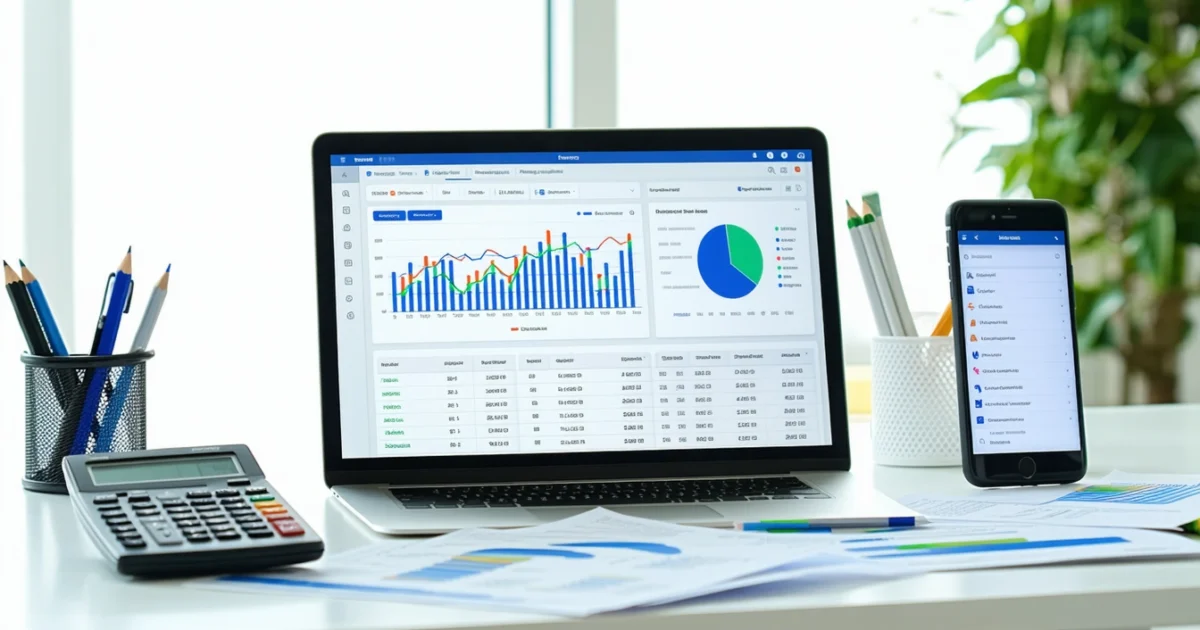
Managing invoices efficiently can transform your business operations, reducing payment delays and eliminating manual errors that cost time and money. The top 10 invoice management solutions for 2026 offer powerful automation features, seamless payment processing, and comprehensive billing management software capabilities that streamline everything from invoice creation to payment collection. Whether you’re a freelancer sending occasional invoices or an enterprise managing thousands of transactions monthly, choosing the right solution directly impacts your cash flow and operational efficiency.
Modern invoice management goes far beyond basic bill creation. Today’s leading platforms integrate with accounting systems, offer multi-currency support, and provide real-time analytics that help businesses make informed financial decisions. Furthermore, many solutions now include mobile apps, automated recurring billing, and client portals that enhance the overall payment experience.
This comprehensive comparison examines the most effective invoice management platforms available, analyzing their features, pricing, and suitability for different business types. Additionally, we’ll explore implementation strategies and ROI considerations to help you select the perfect solution for your specific needs.
TL;DR
- QuickBooks Online and Xero are widely used in Australia, with comprehensive accounting integration and advanced reporting capabilities
- FreshBooks and Wave excel for small businesses, offering user-friendly interfaces (check each product for Australian availability, features and pricing, as Wave’s free plan has limits and its payment tools are US and Canada only)
- Key features to prioritize include automated recurring billing, payment gateway integrations, mobile accessibility, and customizable invoice templates
- Low-cost or free tools like Wave (basic invoicing and accounting) and PayPal Invoicing can work for startups, while growing businesses should consider paid plans for advanced automation and reporting
- Implementation success depends on proper data migration, staff training, and testing payment processing before full deployment
What is Invoice Management Software and Why Your Business Needs It
Invoice management software transforms how businesses handle billing processes, payment tracking, and financial workflows. These platforms automate invoice creation, delivery, and collection while providing comprehensive oversight of accounts receivable. Unlike traditional paper-based systems or basic spreadsheets, modern billing management software integrates multiple financial functions into streamlined digital workflows.
The distinction between basic invoicing tools and comprehensive billing management systems lies in their scope and capabilities. Simple invoicing applications create and send bills, whereas full-featured platforms manage the entire billing lifecycle. Advanced solutions track payment status, send automated reminders, process recurring subscriptions, and generate detailed financial reports.
Core Components of Modern Billing Systems
Contemporary invoice management platforms encompass several critical functions that extend beyond basic bill generation. Payment processing integration allows customers to pay directly through embedded gateways, reducing collection times significantly. Additionally, automated recurring billing handles subscription services and regular payments without manual intervention.
Document management features store invoice templates, customer information, and payment histories in centralized databases. Furthermore, mobile accessibility ensures business owners can create invoices, check payment status, and manage accounts from anywhere. These comprehensive capabilities distinguish professional billing software from simple invoice generators.
Quantifiable Business Benefits
Businesses that automate invoicing often report less time spent on billing-related administrative tasks. Automated processes reduce manual data entry errors, and electronic delivery and payment options can help shorten collection cycles. The size of the saving varies widely and vendor figures are usually marketing claims, so test the software against your own invoice volumes.
Automated billing and online payment options can help you get paid faster, but results vary by business
Cash flow improvements represent the most significant financial benefit for most organizations. Digital payment options increase collection rates, while automated reminders reduce overdue accounts. Consequently, businesses maintain more predictable revenue streams and require less working capital to manage operations.
Integration Ecosystem Advantages
Leading billing management platforms integrate seamlessly with accounting software, CRM systems, and e-commerce platforms. These connections eliminate duplicate data entry while ensuring financial records remain synchronized across all business systems. For instance, invoice data flows directly into accounting ledgers, reducing reconciliation time and improving accuracy.
CRM integration provides comprehensive customer views that include payment histories, outstanding balances, and billing preferences. Sales teams access this information during customer interactions, enabling more informed conversations about payment terms and credit limits. Additionally, marketing departments can segment customers based on payment behaviors and purchase patterns.
API connectivity allows businesses to connect billing systems with industry-specific software solutions. Construction companies integrate with project management tools, while service providers connect to scheduling platforms. These integrations create unified workflows that span multiple business functions, ultimately improving operational efficiency and reducing manual coordination requirements.
Essential Features to Look for in Invoice Management Solutions
Modern billing management software transforms manual invoicing processes into streamlined digital workflows. However, choosing the right platform requires understanding which features deliver genuine value versus superficial additions. The most effective solutions combine core billing functionality with advanced automation capabilities that scale alongside business growth.
Automated Invoice Generation and Recurring Billing
Automated invoice generation eliminates manual data entry while ensuring consistent formatting and accurate calculations. Top-tier platforms create invoices automatically based on project milestones, time tracking data, or subscription schedules. This automation can substantially reduce the time spent on routine invoicing compared to manual methods.
Recurring billing functionality becomes essential for subscription-based businesses and service providers with regular clients. Quality systems handle complex billing cycles including monthly, quarterly, and annual schedules while managing proration calculations automatically. Additionally, these platforms send automated renewal notices and process payments without manual intervention.
Payment Processing and Gateway Integrations
Comprehensive payment processing capabilities distinguish professional billing platforms from basic invoicing tools. Leading solutions integrate with multiple payment gateways including PayPal, Stripe, and Square to offer customers diverse payment options. Furthermore, these integrations enable automatic payment reconciliation and real-time status updates.
Advanced payment features include partial payment acceptance, installment plan management, and automatic late fee calculations. Some platforms also support bank transfers or direct debit (in Australia, BECS direct debit and PayID or bank transfer details on the invoice) for high-value transactions. Consequently, businesses experience faster payment collection and reduced administrative overhead.
Client Management and Contact Databases
Integrated client management systems maintain comprehensive customer profiles that extend beyond basic contact information. These databases store payment histories, preferred billing methods, credit limits, and communication preferences. Moreover, advanced systems track customer interactions and support ticket histories for complete relationship management.
Contact database functionality includes automated data validation, duplicate detection, and bulk import capabilities. Quality platforms also segment customers based on payment behaviors, purchase volumes, and geographic locations. This segmentation enables targeted communication strategies and personalized billing approaches that improve customer satisfaction.
Customizable Templates and Professional Branding
Professional invoice templates reinforce brand identity while ensuring compliance with legal requirements. Top solutions offer extensive customization options including logo placement, color schemes, font selections, and field arrangements. Additionally, these platforms support multiple template variations for different client types or service categories.
Template customization extends to automated email communications, payment confirmations, and reminder notices. Businesses can maintain consistent branding across all customer touchpoints while personalizing messages based on client relationships. Furthermore, template libraries provide industry-specific formats that meet professional standards and regulatory requirements.
Multi-Currency and Tax Compliance
International businesses require robust multi-currency support that handles exchange rate fluctuations and currency conversions automatically. Leading platforms update exchange rates in real-time while maintaining historical records for accounting purposes. These systems also support multiple tax jurisdictions and automatically calculate applicable taxes based on customer locations.
Tax compliance features include GST/VAT calculations, tax exemption management, and automated tax reporting. Australian businesses particularly benefit from platforms that understand local tax requirements and integrate with Business Activity Statement (BAS) and GST reporting, and, where relevant, Single Touch Payroll. Additionally, these solutions maintain audit trails that satisfy regulatory compliance requirements.
Mobile Access and Cloud Infrastructure
Cloud-based accessibility enables invoice management from any location while ensuring data synchronization across multiple devices. Mobile applications provide core functionality including invoice creation, payment tracking, and client communication. Consequently, field service businesses and remote teams maintain billing operations regardless of physical location.
Mobile platforms often include offline capabilities that sync data when internet connectivity returns. These features prove essential for businesses operating in areas with unreliable internet access. Moreover, mobile apps typically offer simplified interfaces optimized for smartphone screens while maintaining access to critical billing functions.
Analytics and Financial Reporting
Comprehensive reporting capabilities transform billing data into actionable business insights. Quality platforms generate cash flow forecasts, aging reports, and payment trend analyses that inform financial decision-making. These reports also identify slow-paying customers and highlight opportunities for payment term optimization.
Advanced analytics include revenue recognition tracking, profit margin analysis, and customer lifetime value calculations. Dashboard visualizations present key metrics in easily digestible formats that support executive reporting requirements. Furthermore, automated report scheduling ensures stakeholders receive regular updates without manual intervention.
Approval Workflows for Enterprise Organizations
Large organizations require sophisticated approval workflows that ensure proper authorization before invoice distribution. These systems route invoices through predetermined approval chains based on invoice amounts, client types, or department budgets. Additionally, workflow automation includes escalation procedures for delayed approvals and audit trail maintenance.
Enterprise-grade platforms support role-based permissions that control access to sensitive financial data and billing functions. These security measures include multi-factor authentication, IP restrictions, and activity logging. Consequently, organizations maintain compliance with internal controls while enabling efficient billing operations across multiple departments and locations.
Top 10 Invoice Management Solutions for 2026
Modern businesses demand invoice management solutions that streamline billing operations while maintaining professional client relationships. These platforms combine automated invoicing capabilities with payment processing, expense tracking, and comprehensive reporting features. Moreover, today’s leading solutions integrate seamlessly with existing business systems to create unified financial workflows.
The following billing management software options represent the most effective solutions for businesses of all sizes. Each platform offers distinct advantages tailored to specific industry requirements and operational scales. Furthermore, these solutions demonstrate proven track records in reducing billing cycle times and improving cash flow management.
QuickBooks Online – Comprehensive Accounting Integration
QuickBooks Online is one of the most widely used small business accounting platforms, with its robust invoicing capabilities integrated into full accounting functionality. The platform generates professional invoices automatically from estimates and tracks payment status through intuitive dashboards. Additionally, QuickBooks connects with hundreds of third-party apps to support diverse business workflows.
Advanced features include recurring invoice automation, late payment reminders, and customizable invoice templates that maintain brand consistency. The software also processes online payments through multiple gateways while automatically recording transactions in accounting ledgers. Consequently, businesses reduce manual data entry while maintaining accurate financial records.
FreshBooks – Service Business Optimization
FreshBooks excels in serving professional service providers with time tracking integration and project-based billing capabilities. The platform converts tracked hours into detailed invoices automatically while supporting multiple billing rates for different service types. Moreover, FreshBooks includes client portal functionality that enables secure document sharing and payment processing.
The software’s expense management features allow users to photograph receipts and attach them directly to client projects or invoices. Payment processing options and fees depend on your country, so check what FreshBooks offers for Australian businesses. Therefore, service-based businesses streamline their entire billing workflow from time capture to payment collection.
Xero – Cloud-Based Integration Leader
Xero provides comprehensive cloud accounting with exceptional third-party integration capabilities spanning over 1,000 business applications. The platform’s invoicing module supports multi-currency transactions and automated payment matching that reconciles bank deposits with outstanding invoices. Additionally, Xero’s mobile applications enable invoice creation and approval from any location.
Advanced reporting features include aged receivables analysis, cash flow forecasting, and customer payment behavior insights. The software also supports purchase order creation and inventory management integration for product-based businesses. Thus, Xero serves as a complete financial management ecosystem for growing enterprises.
Zoho Invoice – Business Suite Integration
Zoho Invoice integrates seamlessly with the broader Zoho business application suite, creating unified customer relationship management and financial workflows. The platform supports automated invoice generation from CRM opportunities and project milestones. Furthermore, Zoho’s global infrastructure ensures reliable access and data security across international markets.
The solution includes advanced customization options for invoice layouts, payment terms, and approval workflows that accommodate complex business requirements. Multi-language support and local tax calculation features serve international businesses effectively. Consequently, organizations benefit from integrated business management without switching between disparate software platforms.
Wave – Free Starter Plan for Small Operations
Wave offers a free Starter plan with unlimited invoices and basic accounting for freelancers and small business owners. Wave’s built-in payment processing and payroll are only available in the US and Canada, and features such as automatic bank connections need the paid Pro plan, so Australian businesses should check what is available to them (including GST support) before relying on it.
Wave earns revenue from payment processing fees (US and Canada), its paid Pro plan and add-on services, which keeps the basic plan free. Check Wave’s current plans and country availability on its website, because the free plan is less useful outside the US and Canada.
Invoice2go – Mobile-First Professional Billing
Invoice2go prioritizes mobile functionality for field service professionals and on-site contractors who create invoices directly from customer locations. The application supports offline invoice creation with automatic synchronization when internet connectivity returns. Moreover, built-in signature capture and photo attachment features document service completion immediately.
Check the current feature list on the Invoice2go website, as features and plans change. Payment processing accepts multiple methods including contactless payments through mobile card readers. Thus, mobile professionals maintain complete billing workflows without returning to office environments.
Sage Business Cloud Accounting – Enterprise Features
Sage Business Cloud Accounting is Sage’s cloud accounting product in several markets, and Sage’s Australian product range differs, so confirm on Sage’s Australian website what is currently sold to Australian businesses. Sage products generally offer user permissions and integrations, but features differ by product and country, so check the details with Sage.
Features vary by product and plan, so check Sage’s current Australian offering for audit trails, reporting and API access before deciding.
PayPal Invoicing – Instant Payment Processing
PayPal Invoicing leverages the global PayPal payment network to enable instant invoice payments from customers worldwide. The platform creates professional invoices with automatic payment processing and immediate fund transfers to business accounts. PayPal charges fees on payments received, so factor these into your pricing.
The service includes automated payment reminders and recurring invoice capabilities that reduce administrative overhead. Mobile applications enable invoice creation and payment tracking from smartphones and tablets. Therefore, businesses benefit from simplified billing processes with immediate payment collection capabilities.
Square Invoices – Point-of-Sale Integration
Square Invoices integrates seamlessly with Square’s point-of-sale ecosystem, creating unified payment processing for retail and service businesses. The platform synchronizes inventory levels and customer data across all Square applications while maintaining consistent pricing and tax calculations. Additionally, Square’s flat-rate processing fees simplify cost management for growing businesses.
Advanced features include automated late payment fees, customizable payment terms, and comprehensive sales reporting that combines in-person and invoice transactions. The software also supports team collaboration with role-based permissions and activity tracking. Thus, businesses maintain consistent customer experiences across multiple sales channels.
Invoicely – Time Tracking Integration
Invoicely combines straightforward invoicing functionality with comprehensive time tracking capabilities that serve professional service providers effectively. The platform converts tracked time into detailed invoices automatically while supporting multiple billing rates and project categories. Moreover, Invoicely includes expense management features that attach receipts and costs directly to client projects.
The software provides client portal access that enables secure communication and document sharing throughout project lifecycles. Multi-currency support and international payment processing serve global client bases efficiently. Consequently, service professionals maintain complete project billing workflows from initial time tracking through final payment collection.
| Feature | QuickBooks Online Check vendor site | FreshBooks Check vendor site | Xero Check vendor site (AUD) | Zoho Invoice Check vendor site | Wave Free |
|---|---|---|---|---|---|
| Monthly Cost | — | — | — | — | — |
| Best Suited For | — | — | — | — | — |
| Primary Advantage | — | — | — | — | — |
| Overall Rating | — | — | — | — | — |
Detailed Review: Enterprise-Level Solutions
Enterprise billing management software must handle complex organizational structures, extensive compliance requirements, and sophisticated financial workflows that smaller solutions cannot accommodate. These top 10 invoice management solutions represent the pinnacle of billing technology, offering multi-entity support, advanced automation, and comprehensive reporting capabilities that serve large organizations effectively.
QuickBooks Online: Pricing Tiers and Advanced Features
QuickBooks Online Advanced delivers enterprise-grade functionality through its highest pricing tier, supporting up to 25 users with unlimited customer and vendor management. The platform provides inventory tracking features, which vary by plan. Furthermore, custom user permissions enable granular access control that protects sensitive financial data.
Advanced reporting features include custom report builder functionality that creates tailored financial statements and performance dashboards. The software integrates with hundreds of third-party apps through its app marketplace, enabling seamless data synchronization across enterprise systems. Additionally, batch invoice processing capabilities handle hundreds of transactions simultaneously while maintaining accuracy and audit trails.
If you outgrow the highest QuickBooks Online plan, ask Intuit or a bookkeeper about your options, because the QuickBooks product range differs between countries. Many larger Australian businesses also compare Xero or MYOB plans at that stage.
Xero: Collaboration Tools and Third-Party Integrations
Xero’s collaboration framework enables no per-user licence fees on its plans (extra charges apply only for some add-ons such as expense claims, projects and payroll beyond plan limits), making it particularly suitable for large teams and external stakeholder involvement. The platform provides project-based collaboration tools that allow multiple team members to work on invoices, estimates, and financial reports simultaneously. Moreover, real-time activity feeds keep all stakeholders informed about invoice status changes and payment updates.
Third-party integration capabilities span over 1,000 business applications through Xero’s extensive marketplace ecosystem. Popular integrations include Salesforce for CRM synchronization and Shopify for e-commerce billing, and Xero also offers its own projects tools. These connections enable automatic data transfer that eliminates manual entry while maintaining consistency across business systems.
Reporting excellence shines through Xero’s customizable dashboard system that displays key performance indicators in real-time visualizations. The software includes a range of standard reports and supports custom reports. Multiple currencies are included in Xero’s Australian plans, with exchange rates updated automatically.
Sage Business Cloud: Multi-Entity Management and Compliance
Sage offers several accounting products, and multi-entity consolidation is typically associated with its higher-end products rather than entry-level cloud accounting. Check with Sage which product and plan covers multi-entity reporting for Australian businesses.
Tax and compliance features depend on the product and country, so confirm that GST, BAS and any other Australian requirements are supported before buying.
Integration options vary by product, so ask Sage which ERP and other connectors are available for your setup.
Best Use Cases for Each Enterprise Solution
| Feature | |||
|---|---|---|---|
| Best For | Growing SMBs to mid-market | Collaborative teams & accountants | Multi-entity enterprises |
| User Limit | 25 users | No per-user licence fee | Check with Sage |
| Key Strength | Comprehensive features & scalability | Third-party integrations & collaboration | Compliance & multi-entity management |
| Pricing Model | Tiered plans with user limits | Tiered plans, no per-user licence fee | Check with Sage |
| Industry Focus | General business | Professional services | Regulated industries |
QuickBooks Online Advanced serves organizations transitioning from small business to mid-market operations that require comprehensive feature sets without enterprise complexity. The solution works particularly well for retail businesses, service companies, and manufacturers that need inventory management combined with robust financial reporting. However, organizations planning rapid growth may find user limitations restrictive compared to unlimited-user alternatives.
Xero excels for professional services firms, accounting practices, and businesses requiring extensive third-party integrations with collaborative workflows. The platform’s unlimited user access makes it cost-effective for large teams while its integration marketplace supports virtually any business application requirement. Nevertheless, businesses requiring advanced inventory management or industry-specific compliance features may need supplementary solutions.
Sage Business Cloud targets enterprises with complex organizational structures, multiple subsidiaries, or strict regulatory compliance requirements. The solution serves financial services, healthcare, and government contractors that need sophisticated multi-entity reporting and audit capabilities. Accordingly, smaller businesses may find Sage’s enterprise focus excessive for their operational requirements and budget constraints.
Detailed Review: Small Business and Freelancer Solutions
Small businesses and freelancers require billing management software that balances functionality with affordability while maintaining simplicity for non-accounting professionals. These specialized solutions focus on core invoicing capabilities rather than comprehensive enterprise features, making them ideal for solopreneurs, consultants, and growing small businesses that need efficient payment processing without overwhelming complexity.
FreshBooks: Project Management Integration Excellence
FreshBooks distinguishes itself through seamless project management integration that connects time tracking, expense management, and client billing within a unified workflow. The platform automatically converts tracked hours into professional invoices while maintaining detailed project profitability reports that help service-based businesses optimize their pricing strategies.
Time tracking functionality operates across desktop and mobile applications, allowing freelancers to capture billable hours regardless of location or device. Check FreshBooks’ current integration list to see which project and accounting tools it connects with.
Pros
- Intuitive time tracking with automatic invoice generation
- Excellent project profitability reporting
- Strong mobile app functionality
- Comprehensive expense management features
Cons
- Limited customization options for invoices
- Higher pricing for advanced features
- Basic inventory management capabilities
- Check plan limits for features such as multi-currency
Wave: Free Starter Plan
Wave offers a free Starter plan with unlimited invoices and basic double-entry accounting. The platform earns revenue through payment processing, a paid Pro plan, payroll and bookkeeping services, several of which are limited to the US and Canada.
The free plan covers unlimited invoices and basic reporting. Features such as automatic bank connections, receipt scanning, multi-user access and live support need a paid plan (Pro was listed at US$19 per month at the time of writing, so check Wave for current pricing).
Paid add-ons include card payment processing (US and Canada only), payroll (US and Canada only) and bookkeeping services. Fees and prices change, so check Wave’s website for current rates before you sign up.
Invoice2go: Mobile-First Design Philosophy
Invoice2go prioritizes mobile functionality with comprehensive offline capabilities that enable field service businesses to create, send, and track invoices without internet connectivity. The mobile application synchronizes automatically when connection resumes, ensuring no billing opportunities are lost during remote work situations.
Mobile app capabilities extend beyond basic invoicing, but the exact features, payment options and plans change over time, so check the current Invoice2go feature list before you commit.
Offline functionality proves particularly valuable for contractors, repair services, and field consultants who frequently work in areas with limited internet access. Consequently, the system maintains full feature availability regardless of connectivity status while ensuring data integrity through automatic synchronization protocols.
Invoicely: Simplicity Versus Feature Trade-offs
Invoicely emphasizes extreme simplicity with a streamlined interface that eliminates feature complexity in favor of rapid invoice creation and sending capabilities. The platform targets businesses that prioritize ease of use over comprehensive functionality, making it ideal for occasional invoicing needs or users uncomfortable with complex software interfaces.
Feature limitations include basic reporting capabilities, minimal customization options, and limited integration possibilities compared to comprehensive solutions. However, these restrictions enable faster learning curves and reduced training requirements for small teams or individual users who need immediate invoicing capabilities without extensive setup procedures.
The platform supports essential functions including recurring invoices, multiple payment methods, and basic client management while maintaining competitive pricing that starts at free tiers for limited monthly invoicing volumes.
Ideal Business Scenarios for Each Solution
FreshBooks serves project-based businesses including consulting firms, creative agencies, and professional services that require detailed time tracking with client billing integration. The solution works particularly well for businesses billing hourly rates or project milestones where accurate time capture directly impacts revenue generation.
Wave can suit startups, solo entrepreneurs, and very small businesses on tight budgets that need basic invoicing, provided its features and country availability meet their needs. The platform suits businesses with straightforward invoicing needs that can operate effectively with basic features while maintaining professional client communications.
Invoice2go excels for field service businesses, contractors, and mobile professionals who frequently work at client locations or remote sites. The solution serves plumbers, electricians, consultants, and repair services that need immediate invoicing capabilities with offline functionality and mobile payment collection.
Invoicely targets businesses with minimal invoicing requirements, occasional billing needs, or users who prioritize simplicity over feature depth. The platform works well for small retailers, service providers with regular clients, and businesses that need basic invoicing without complex reporting or integration requirements.
Choosing between these top 10 invoice management solutions depends primarily on business size, technical requirements, budget constraints, and growth projections. Moreover, businesses should evaluate their specific workflow needs against each platform’s core strengths to ensure optimal long-term compatibility and operational efficiency.
Free vs Paid Invoice Management Software
Business owners frequently face critical decisions about whether free invoicing solutions meet their operational needs or if upgrading to paid billing management software delivers superior value. Understanding the fundamental differences between these options helps companies make informed investment choices that align with their growth trajectory and financial capabilities.
Limitations of Free Invoicing Solutions
Free invoice management platforms typically restrict users to basic functionality that covers fundamental billing needs without advanced features. Some providers limit monthly invoice or client numbers on free plans, which can force an upgrade once you exceed them. Additionally, free versions often display provider branding on invoices, which can appear unprofessional to clients and reduce brand consistency.
Customer support represents another significant limitation, as free users usually receive community-based assistance rather than direct technical support from provider teams. Furthermore, integration capabilities remain severely restricted, preventing connections with accounting software, CRM systems, or payment gateways that streamline business operations.
Data storage limitations also constrain free solutions, with many providers offering minimal cloud storage space and basic reporting functionality. These restrictions become problematic as businesses accumulate historical invoice data and require comprehensive financial analytics for decision-making purposes.
When to Upgrade to Paid Plans
Businesses should consider upgrading to paid billing management software when monthly invoice volumes consistently exceed free plan limits or when professional branding becomes essential for client relationships. Businesses that regularly hit a free plan’s limits often find a paid plan more practical.
Integration requirements often trigger upgrade decisions, particularly when businesses need seamless connections between invoicing systems and existing accounting software like Xero or MYOB. Moreover, companies requiring advanced features such as recurring billing automation, multi-currency support, or detailed financial reporting benefit significantly from paid platform capabilities.
Team collaboration needs also justify upgrades, as paid plans typically offer multi-user access with role-based permissions that enable efficient workflow management across departments or team members.
Cost-Benefit Analysis for Different Business Sizes
| Feature | |||
|---|---|---|---|
| Monthly Cost Range | Often low or free | Mid-range paid plans | Higher-tier plans |
| Invoice Volume | 5-25 monthly | 25-100 monthly | 100+ monthly |
| ROI Timeframe | Varies | Varies | Varies |
| Key Benefits | Professional branding | Team collaboration | Advanced automation |
Sole traders and freelancers can often recover the cost of paid invoicing software through faster payments and less administrative time, though the payback varies by business. The professional appearance of branded invoices often accelerates client payments and enhances business credibility.
Small businesses with multiple team members realize faster returns through collaborative features that eliminate duplicate work and streamline approval processes. These businesses may recover software costs more quickly by reducing time spent on manual invoice management tasks.
Medium-sized businesses experience immediate returns through automation capabilities that handle recurring billing, payment reminders, and financial reporting without manual intervention. The time savings alone typically justify monthly software expenses while improving cash flow predictability.
Hidden Costs and Transaction Fees
Many invoice management solutions advertise low monthly subscription rates while charging additional transaction fees that significantly impact total ownership costs. Payment processing fees are usually a percentage of each transaction plus a small fixed fee, and rates vary by provider and card type, so check the current rates in Australian dollars.
Integration costs represent another hidden expense, as businesses may need to purchase additional software connectors or API access to link invoicing platforms with existing business systems. Some providers charge per-integration fees or require higher-tier subscriptions for third-party connections.
Storage overages create unexpected costs when businesses exceed included data limits, with some providers charging extra for additional storage. Additionally, premium support services, advanced reporting modules, and white-label branding options often require separate purchases that increase total software expenses beyond advertised base pricing.
Currency conversion fees affect businesses operating internationally, as providers may add a currency conversion margin plus banking fees for processing payments in foreign currencies. These charges accumulate quickly for companies with diverse client bases across multiple countries.
Industry-Specific Considerations
Different industries require specialized invoicing features that generic billing management software often cannot accommodate. Service-based businesses, retail operations, consulting firms, and construction companies each face unique billing challenges that demand tailored solutions from the top 10 invoice management solutions.
Service-Based Businesses: Time Tracking and Project Billing
Professional service providers need invoice management systems that seamlessly integrate time tracking with project-based billing structures. Time-tracking modules automatically capture billable hours across multiple projects while maintaining detailed activity logs for client transparency. Additionally, project billing features enable service businesses to create milestone-based invoices that reflect work completion stages.
Advanced service billing platforms offer automated time capture through desktop applications and mobile apps that track work sessions in real-time. Furthermore, these systems generate detailed timesheets that clients can review before invoice approval, reducing payment disputes and improving client relationships.
Retail and E-commerce: Inventory Integration and Bulk Invoicing
Retail businesses require invoice management solutions that synchronize with inventory management systems to maintain accurate stock levels during billing processes. Real-time inventory integration prevents overselling while automatically updating product availability across multiple sales channels. Moreover, bulk invoicing capabilities enable retailers to process hundreds of orders simultaneously during peak sales periods.
E-commerce platforms benefit from automated invoice generation that triggers immediately after order completion, reducing manual processing time and improving customer satisfaction. These systems also support multiple payment gateways and currency options, essential for businesses serving international markets.
Consulting and Professional Services: Expense Tracking and Client Portals
Consulting firms need sophisticated expense tracking capabilities that capture both billable and non-billable costs across client engagements. Expense management modules allow consultants to photograph receipts, categorize expenses by project, and automatically add reimbursable costs to client invoices. Subsequently, these features streamline expense reporting while ensuring accurate client billing.
Client portals provide secure access to project documents, invoice history, and payment status updates that enhance client communication and transparency. Professional service firms also benefit from retainer management features that track advance payments against ongoing work, maintaining clear financial boundaries throughout long-term engagements.
Construction and Contractors: Progress Billing and Milestone Payments
Construction companies require progress billing systems that align invoice schedules with project completion percentages and contractual milestones. These specialized features enable contractors to submit partial invoices based on work completed, improving cash flow throughout extended project timelines. Additionally, construction billing platforms support change order management that documents scope modifications and associated cost adjustments.
Milestone payment tracking ensures contractors receive compensation at predetermined project stages while maintaining compliance with construction industry payment terms. Many construction-focused invoice management solutions also integrate with project management software to synchronize billing schedules with actual work progress, reducing administrative overhead and payment delays.
Industry Selection Tip
Implementation and Migration Best Practices
Successfully deploying invoice management solutions requires careful planning that minimizes business disruption while maximizing user adoption. Organizations typically underestimate the complexity of migrating historical data and training staff on new billing workflows, leading to extended implementation timelines and reduced productivity during transition periods.
Data Migration from Existing Systems
Data migration represents the most critical phase of implementing new billing management software, requiring systematic extraction and validation of customer records, invoice history, and payment data from legacy systems. Most modern platforms provide automated migration tools that connect directly to popular accounting software like QuickBooks, Xero, and MYOB, transferring essential information while maintaining data integrity throughout the process.
However, organizations must validate migrated data accuracy before going live, particularly focusing on customer contact information, outstanding invoice balances, and payment terms that directly impact cash flow. Additionally, businesses should create comprehensive backups of existing systems and establish rollback procedures in case migration issues arise during the transition period.
Migration Timeline
Staff Training and Adoption Strategies
Effective staff training programs focus on role-specific functionality rather than comprehensive platform overviews, ensuring each team member masters features directly relevant to their daily responsibilities. Finance teams need extensive training on reporting capabilities and payment processing, while sales staff require focused instruction on quote generation and client portal management features.
Furthermore, organizations achieve higher adoption rates by implementing phased rollouts that introduce new features gradually rather than overwhelming users with complete system changes simultaneously. Training sessions should include hands-on practice with real customer data and common scenarios that staff encounter regularly, building confidence and competency before full deployment.
- Create role-based training modules for different user groups
- Establish super users within each department for ongoing support
- Schedule regular check-ins during the first month of implementation
- Document common workflows and troubleshooting procedures
Integration with Existing Business Tools
Modern invoice management platforms integrate seamlessly with existing business ecosystems through APIs and native connectors that synchronize data across accounting software, CRM systems, and project management tools. These integrations eliminate duplicate data entry while ensuring consistency across all business applications that handle customer and financial information.
Popular integration combinations include connecting invoice platforms with Salesforce for customer data synchronization, linking to Stripe or PayPal for payment processing, and integrating with time tracking tools like Toggl or Harvest for automated billing based on recorded hours. Moreover, businesses should prioritize integrations that support bidirectional data flow, allowing updates in any connected system to reflect across all platforms automatically.
Setting Up Automated Workflows and Templates
Automated workflows reduce manual intervention by triggering specific actions based on predetermined conditions, such as sending payment reminders for overdue invoices or generating recurring bills for subscription-based services. These automation rules should align with existing business processes while incorporating best practices for customer communication and payment collection.
Template creation involves designing standardized invoice formats that reflect brand identity while including all legally required information for different customer types and jurisdictions. Professional templates should incorporate company logos, consistent color schemes, and clear payment instructions that guide customers through the payment process efficiently.
| Automation Type | Trigger Condition | Recommended Action |
|---|---|---|
| Payment Reminders | Invoice overdue 7 days | Send friendly reminder email |
| Late Fees | Invoice overdue 30 days | Apply penalty charges automatically |
| Recurring Billing | Monthly subscription date | Generate and send invoice |
| Payment Confirmation | Payment received | Send receipt and update records |
Testing Payment Processing Before Full Deployment
Payment processing testing requires comprehensive validation of all supported payment methods, including credit cards, bank transfers, and digital wallets, to ensure transactions process correctly without errors or security vulnerabilities. Testing should cover various scenarios including successful payments, declined transactions, and partial payment situations that commonly occur in real-world operations.
Organizations must verify payment gateway integrations function properly across different customer scenarios, testing both one-time payments and recurring billing cycles to identify potential issues before customers experience problems. Additionally, businesses should validate that payment confirmations, receipt generation, and account reconciliation features work seamlessly with their chosen payment processors.
Pros
- Reduces implementation risks through systematic testing
- Identifies integration issues before customer impact
- Validates security compliance across payment methods
- Ensures accurate financial reporting from day one
Cons
- Requires additional time before going live
- May reveal unexpected compatibility issues
- Demands coordination across multiple systems
- Can delay revenue collection during testing phase
Successful implementation of top 10 invoice management solutions depends on thorough preparation, comprehensive testing, and ongoing support that addresses user needs throughout the transition process. Consequently, businesses that invest adequate time in these implementation phases typically experience smoother deployments with higher user satisfaction and faster return on investment.
Pricing Comparison and ROI Analysis
Understanding the true cost of billing management software extends far beyond monthly subscription fees, encompassing transaction costs, implementation expenses, and long-term scalability considerations that impact your bottom line. Smart businesses analyze total cost of ownership across multiple years to identify solutions that deliver sustainable value as operations expand.
Monthly and Annual Subscription Costs
Most top 10 invoice management solutions offer tiered pricing structures that scale with business size and feature requirements. Pricing varies widely by product and plan. As a guide, Xero’s Australian plans were listed from about A$107 per month (Comprehensive) at the time of writing, usually with an introductory discount for new customers, while simpler invoicing tools can cost much less. Check each vendor’s current Australian pricing, and note whether prices include GST.
| Solution Tier | Monthly Cost | Annual Savings | Typical Features |
|---|---|---|---|
| Starter | Varies (often low or free) | Varies | Basic invoicing, limited clients or invoices |
| Professional | Varies | Varies | Unlimited invoices, reporting |
| Enterprise | Varies (higher) | Varies | Multi-user, API access, custom fields |
Some providers offer discounts for paying annually, but the amount varies, so compare monthly and yearly prices. However, businesses should evaluate whether the upfront investment aligns with cash flow requirements and projected usage patterns.
Transaction Fees and Payment Processing
Payment processing costs represent a crucial factor in total ownership expenses, particularly for businesses handling high transaction volumes. Credit card processing fees are usually a percentage of each transaction plus a small fixed fee, while bank transfers and direct debit are typically cheaper, and rates vary by provider, so check current Australian pricing.
Furthermore, some platforms charge additional gateway fees or monthly processing minimums that can significantly impact smaller businesses. Businesses processing few transactions each month should carefully evaluate whether integrated payment processing justifies the additional costs compared to standalone payment solutions.
Hidden Fee Alert
Calculating ROI Through Time Savings
Time savings represent the most significant return on investment for most organizations implementing automated billing systems. Manual invoice creation can take many minutes per invoice, while automated systems reduce this considerably, including review and approval.
As a simple illustration only, if manual processing of 100 invoices a month takes you 25 hours and automation cuts that to 8 hours, you would save 17 hours a month. Multiply the hours you save by what your time or a staff member’s time costs per hour, then compare that with the software’s monthly price. Use your own numbers, because they vary widely.
Whether automated billing pays for itself depends on your invoice volume, your hourly cost and the software price, so run the numbers for your own business
Additional productivity gains emerge from automated payment reminders, which can reduce the time spent chasing overdue invoices compared with manual follow-up. These efficiency improvements compound over time, creating substantial value that extends well beyond direct cost comparisons.
Total Cost of Ownership Analysis
Comprehensive cost analysis must include implementation expenses, training time, data migration costs, and ongoing maintenance requirements that vary significantly between solutions. Cloud-based platforms typically minimize upfront costs but may include higher long-term subscription fees, while on-premise solutions require substantial initial investment but offer lower ongoing expenses.
- Implementation costs: Setup fees, data migration, custom configuration
- Training expenses: Staff time, documentation, ongoing support
- Integration costs: API development, third-party connections, system modifications
- Maintenance fees: Updates, backups, security monitoring, technical support
Moreover, businesses should factor in potential switching costs if the chosen solution doesn’t meet evolving needs. Data export capabilities, contract terms, and migration support become critical considerations for long-term planning and vendor relationship management.
Scalability and Growth Pricing
Pricing structures that accommodate business growth prevent costly platform migrations as operations expand. The best solutions offer flexible user additions, transaction volume scaling, and feature upgrades without requiring complete system overhauls or data transfers.
Evaluate how pricing changes as your business grows from 10 to 100 to 1,000 monthly invoices, ensuring the solution remains cost-effective at each stage. Some platforms offer volume discounts that reduce per-transaction costs as usage increases, while others maintain flat rates regardless of scale.
| Feature | |||
|---|---|---|---|
| Monthly Invoice Limit | — | — | — |
| User Accounts | — | — | — |
| Cost per Additional User | — | — | — |
| Transaction Fee | — | — | — |
| Storage Limit | — | — | — |
Therefore, selecting billing management software requires balancing immediate affordability with long-term scalability, ensuring your chosen solution supports business growth without creating financial constraints or operational limitations that hinder expansion opportunities.
Making Your Final Decision
Choosing the right invoice management solution requires systematic evaluation beyond feature comparisons and pricing models. Your decision impacts daily operations, cash flow management, and business scalability for years to come.
Evaluation Criteria Checklist
Create a weighted scoring system that prioritizes your business’s most critical requirements. Core functionality should receive the highest weighting, followed by integration capabilities, user experience, and support quality.
- Essential features: Invoice creation, payment processing, automated reminders, reporting
- Integration requirements: Accounting software, CRM systems, payment gateways, banking connections
- Usability factors: Learning curve, mobile accessibility, customization options, workflow efficiency
- Support standards: Response times, availability hours, training resources, implementation assistance
- Security measures: Data encryption, backup procedures, compliance certifications, access controls
Additionally, evaluate each solution’s roadmap alignment with your business goals. Software that evolves with industry trends and customer feedback provides better long-term value than static platforms.
Free Trial Strategies and Testing Focus
Maximize trial periods by testing real-world scenarios rather than exploring every feature superficially. Focus your evaluation on daily workflows, peak-volume periods, and edge cases that reveal system limitations.
Week 1: Set up your business profile, import existing customer data, and create sample invoices using your standard templates. Test basic functionality under normal conditions while familiarizing yourself with the interface.
Week 2: Process high-volume scenarios, test integrations with existing systems, and evaluate reporting capabilities. Furthermore, simulate month-end processes, bulk operations, and complex invoice scenarios your business encounters regularly.
Document pain points, workflow inefficiencies, and missing features during trials. Compare how each platform handles identical tasks, measuring time requirements and error rates across different solutions.
Critical Vendor Demo Questions
Structured vendor demonstrations reveal capabilities beyond marketing materials and feature lists. Prepare specific scenarios that challenge each system’s strengths while exposing potential weaknesses.
“How does your system handle our specific industry requirements, compliance needs, and unique workflow processes?”
Request demonstrations of data migration processes, asking about timeline estimates, data integrity guarantees, and rollback procedures. Inquire about customization limitations, API availability, and integration development timelines for your specific requirements.
Probe support quality by asking about escalation procedures, average resolution times, and availability during your business hours. Moreover, discuss contract terms, pricing changes, and exit procedures to understand long-term commitments and flexibility.
Implementation Timeline and Success Metrics
Realistic implementation planning prevents disruptions while ensuring smooth transitions from existing systems. Phase-based rollouts reduce risks while allowing staff adaptation and system optimization.
| Phase | Duration | Key Activities | Success Metrics |
|---|---|---|---|
| Setup | 1-2 weeks | System configuration, data migration, integration testing | 100% data accuracy, all integrations functional |
| Training | 1 week | Staff training, workflow documentation, support setup | 90% user proficiency, documented processes |
| Pilot | 2-4 weeks | Limited rollout, feedback collection, refinements | Reduced processing time, positive user feedback |
| Full Launch | Ongoing | Complete migration, performance monitoring, optimization | Improved efficiency, reduced errors, faster payments |
Track quantifiable improvements including invoice processing time, payment collection speed, error reduction rates, and staff productivity gains. These metrics justify investment costs while identifying areas requiring additional optimization.
Future-Proofing Your Choice
Technology evolves rapidly, making adaptability crucial for long-term solution viability. Choose platforms that demonstrate consistent innovation, strong financial stability, and commitment to emerging technologies like artificial intelligence and blockchain integration.
Evaluate vendor roadmaps for mobile optimization, automation enhancements, and emerging payment methods. Solutions that embrace open APIs, cloud-native architectures, and modular designs adapt more easily to changing business requirements and technological advances.
Consider how each platform addresses regulatory changes, security updates, and industry compliance requirements. Vendors with proactive compliance management and regular security audits protect your business from evolving threats and regulatory penalties.
Implementation Success Tip
Frequently Asked Questions
What are the best invoicing software solutions for 2026?
The top invoicing software solutions include QuickBooks Online and Xero for enterprise needs, offering comprehensive accounting integration and advanced reporting. For small businesses, FreshBooks and Wave excel with user-friendly interfaces and competitive pricing. Wave stands out as completely free, while other solutions offer various pricing tiers based on features and business size.
What is the best invoice app in Australia?
Xero and QuickBooks Online are two of the most widely used cloud accounting platforms among Australian small businesses, and both support GST, BAS and bank feeds from Australian banks. Xero originated in New Zealand and includes multi-currency support. MYOB is another widely used Australian option worth comparing. Check current plans and pricing on each vendor’s Australian site.
What are the top 10 accounting software platforms that include invoicing?
The leading accounting software with robust invoicing capabilities includes QuickBooks Online, Xero, FreshBooks, Wave, Sage Business Cloud, Zoho Invoice, PayPal Invoicing, Invoice2go, Invoicely, and Square Invoices. These platforms combine billing management software with comprehensive accounting features, offering everything from basic invoice creation to advanced financial reporting.
What are the top invoicing platforms with client management features?
Platforms excelling in client management include FreshBooks with its comprehensive client portal and project tracking, Xero with detailed customer relationship tools, and QuickBooks Online with integrated CRM capabilities. These solutions offer client communication tools, payment history tracking, and customizable client portals that enhance the overall payment experience.
What is the best free invoice app for small businesses?
Wave offers a free Starter plan with unlimited invoices and basic accounting, although its payment processing is only available in the US and Canada and some features need a paid plan. PayPal Invoicing is free to send invoices from, but PayPal charges fees when you get paid, so check its current Australian fees. Both can work for startups and small businesses with basic invoicing needs.
What is the cheapest invoice app with advanced features?
While Wave offers a free Starter plan, Zoho Invoice also has a free plan with limits and paid plans for growing needs (check Zoho’s Australian pricing). Invoice2go and Square Invoices are other options for small businesses needing more than a free plan provides, so compare their current pricing and features.
What features should I prioritize when choosing invoice management software?
- Automated recurring billing for subscription services and regular payments
- Payment gateway integrations to reduce collection times
- Mobile accessibility for managing invoices on-the-go
- Customizable invoice templates for professional branding
- Real-time analytics and reporting for financial insights
- Multi-currency support for international businesses
How much can invoice management software reduce administrative tasks?
Many businesses report less time spent on billing-related administrative tasks after automating, although the amount varies widely and vendor claims are often marketing figures. Automated processes reduce manual data entry errors, while automated payment reminders and recurring billing features reduce time spent on routine tasks.
What's the difference between basic invoicing tools and comprehensive billing management systems?
Basic invoicing tools simply create and send bills, while comprehensive billing management software manages the entire billing lifecycle. Advanced solutions include payment tracking, automated reminders, recurring subscription handling, financial reporting, client portals, and integration with accounting systems. This distinction is crucial for growing businesses that need more than simple invoice generation.
How do I successfully implement new invoice management software?
Successful implementation requires proper data migration from existing systems, comprehensive staff training on new workflows, and thorough testing of payment processing before full deployment. Start with a pilot program, migrate customer data carefully, and ensure all team members understand the new system before going live.
Should freelancers use different invoice software than enterprises?
Yes, freelancers typically benefit from simpler, cost-effective solutions like Wave (check its Australian availability), PayPal Invoicing, or basic FreshBooks plans. Enterprises need robust solutions like QuickBooks Online or Xero that handle thousands of transactions monthly, offer advanced reporting, and integrate with existing accounting systems. The choice depends on transaction volume and complexity needs.
What ROI can I expect from invoice management software?
Many businesses see a return through reduced administrative costs, faster payment collection and fewer manual errors, though the payback period varies with invoice volume and software cost. The combination of time savings, improved cash flow from faster payments, and reduced billing mistakes typically generates significant returns that justify the software investment, especially for businesses processing multiple invoices monthly.
You May Also Like

Best Cheap EVs in Australia 2026: Top Affordable Electric Cars

BYD Cars Australia: Full Review, Models & Prices (2026)










1 Comment
[…] taxpayers often benefit from invoice management solutions that integrate expense tracking with tax reporting requirements. These systems automatically […]