How to Change Your Voicemail Greeting in Australia 2026

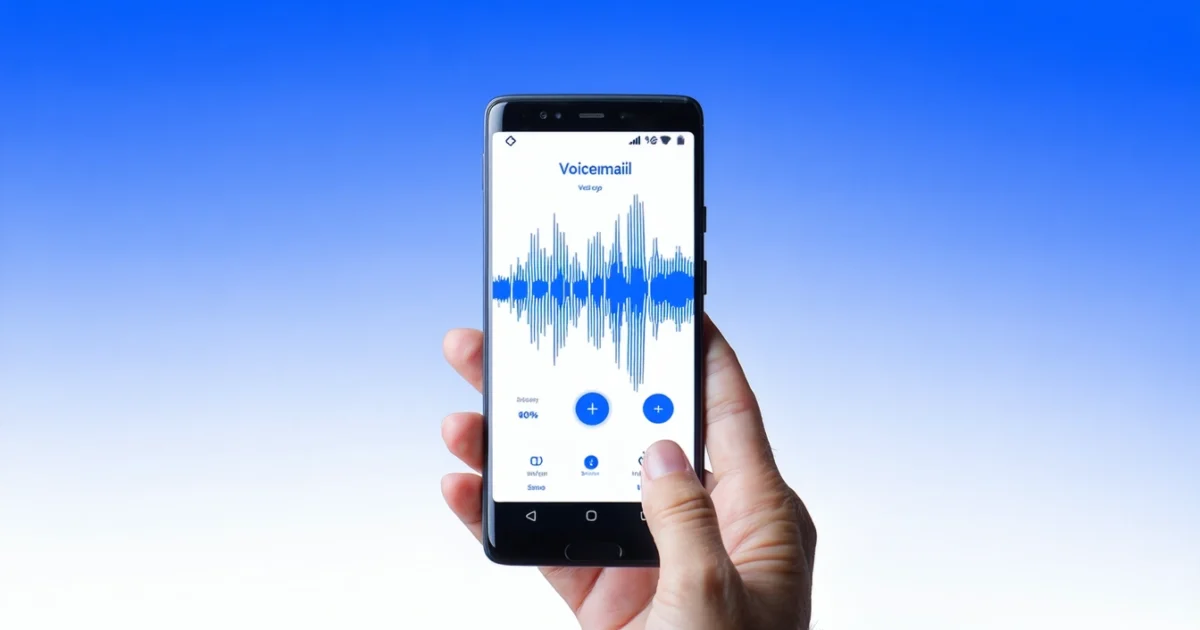
Learning how to change voicemail greeting on your mobile or landline phone is essential for creating a professional first impression with callers. Whether you’re using an iPhone, Android device, or traditional landline, updating your voicemail message involves accessing your phone’s voicemail settings and recording a new greeting. Most Australian mobile carriers like Telstra, Optus, and Vodafone offer multiple ways to customise your voicemail, including through your device’s phone app or by dialling your voicemail number directly.
Furthermore, personalising your voicemail greeting helps callers know they’ve reached the right person and sets expectations for when you’ll return their call. Modern smartphones make this process straightforward through visual voicemail features, while landline users can typically access settings through their handset or online portal.
Additionally, having an effective voicemail greeting becomes particularly important when managing multiple communication channels, similar to how you might need to hide your phone number when calling for privacy reasons. Both features help you maintain professional communication standards.
TL;DR
- iPhone users can change greetings through the Phone app’s Voicemail tab using Visual Voicemail
- Android devices access voicemail through the Phone app or carrier-specific apps like My Telstra
- All carriers allow greeting changes by dialling your voicemail number and following menu prompts
- Landline users can update greetings through handset settings or online portals depending on their service provider
Understanding Voicemail Greetings
A voicemail greeting serves as your automated message that plays when callers reach your voicemail system. This recorded message informs callers they’ve reached the correct number and provides instructions for leaving a message. Essentially, your greeting acts as a digital receptionist, managing incoming calls when you’re unavailable to answer personally.
The primary purpose of voicemail greetings extends beyond simple call management. These messages establish your professional image, set caller expectations, and provide essential information about response times. Moreover, effective greetings help reduce callback confusion and ensure callers leave detailed messages rather than hanging up immediately.
Types of Voicemail Greetings Available
Default greetings come pre-installed with your phone service and typically feature generic messages like “The person you are calling is not available.” Australian carriers including Telstra, Optus, and Vodafone provide these standard options that require no setup from users. However, default messages offer no personalisation and may confuse callers about whether they’ve dialled correctly.
In contrast, custom greetings allow you to record personalised messages using your own voice. These recordings can include your name, specific instructions, or temporary messages about holidays and availability. Custom greetings provide flexibility for different situations, such as work versus personal lines or seasonal updates.
Professional greetings represent the most polished option, often featuring scripted content that maintains consistent tone and messaging. Business users frequently choose professional greetings to project competence and reliability. These messages typically include company names, department information, and clear callback instructions.
Why Personalising Your Greeting Matters
Personalised voicemail greetings improve caller experience and response rates. When callers hear your actual voice confirming they’ve reached the right person, they’re generally more likely to leave a detailed message rather than hang up. This personalisation builds trust and reduces the uncertainty that generic messages create.
Furthermore, customised greetings allow you to manage caller expectations effectively. By stating your typical response time or providing alternative contact methods, you help callers understand when to expect callbacks. This proactive communication reduces follow-up calls and demonstrates professional courtesy.
Additionally, personalised messages serve practical purposes beyond courtesy. They can redirect urgent calls to colleagues, provide temporary contact information during travel, or inform callers about business hours. Just as you might need to hide your phone number when calling for privacy, customising your voicemail greeting gives you control over how others perceive and interact with your communication channels.
Most importantly, personalised greetings reflect your attention to detail and communication standards. Whether you’re managing prepaid or postpaid mobile plans, taking time to create an appropriate greeting shows professionalism that can benefit both personal and business relationships.
Changing Voicemail Greeting on iPhone
Changing your voicemail greeting on iPhone requires accessing the Phone app and navigating through specific settings. The process takes less than five minutes and gives you complete control over how callers perceive your communication style. Most iPhone users can modify their greetings without contacting their mobile carrier directly.
Step-by-Step Instructions Through Phone App
First, open the Phone app from your home screen and locate the voicemail tab at the bottom right corner. Tap this tab to access your voicemail interface, where you’ll see all your current messages and greeting options. The voicemail section displays your current greeting status and provides access to customisation features.
Next, tap “Greeting” in the upper-left corner of the voicemail screen. This action opens the greeting management interface where you can choose between default carrier messages and custom recordings. The system presents two primary options: using your carrier’s standard greeting or creating a personalised message.
Subsequently, select “Custom” to create your personalised greeting rather than using the generic default option. This choice activates the recording interface and prepares your iPhone’s microphone for message capture. Custom greetings allow you to include specific information like your name, callback timeframes, and alternative contact methods.
Using Visual Voicemail Feature
Visual Voicemail simplifies the greeting change process by providing an intuitive interface for message management. This feature displays your voicemail messages as a list rather than requiring sequential playback through traditional systems. Visual Voicemail works with most Australian carriers and enhances the overall voicemail experience.
Moreover, Visual Voicemail integrates seamlessly with the greeting customisation process. When you access the greeting settings through this interface, the system automatically saves your changes to your carrier’s voicemail servers. This integration ensures your new greeting becomes active immediately without additional setup steps.
Additionally, the Visual Voicemail interface provides clear indicators when your greeting changes successfully. The system displays confirmation messages and updates the greeting status in real-time. This immediate feedback helps you verify that your customisation process completed correctly.
Recording and Re-recording Your Message
To begin recording, tap the “Record” button and speak clearly into your iPhone’s microphone. Hold the device approximately six inches from your mouth and speak at normal conversation volume for optimal audio quality. The recording interface displays a timer showing your message length as you speak.
Furthermore, you can re-record your message multiple times until you achieve the desired result. Simply tap “Stop” when finished, then choose “Re-record” if you’re unsatisfied with the initial attempt. This flexibility allows you to perfect your greeting without time pressure or permanent commitments to imperfect recordings.
Most importantly, keep your greeting concise and professional while including essential information. Effective messages typically last 15-30 seconds and include your name, a brief unavailability explanation, and callback expectations. Longer messages may cause callers to hang up before leaving their own messages.
Previewing Before Saving
After recording, tap “Play” to preview your greeting before finalising the changes. This preview function allows you to hear exactly what callers will experience when they reach your voicemail. Listen carefully for audio quality, clarity, and completeness of your intended message.
Subsequently, evaluate your greeting for professionalism and accuracy during the preview phase. Check that you’ve pronounced names correctly, included relevant contact information, and maintained appropriate tone throughout the message. This review process prevents embarrassing mistakes from reaching your callers.
Finally, tap “Save” once you’re satisfied with your greeting preview. The system uploads your new greeting to your carrier’s voicemail servers and activates it immediately. Your iPhone displays a confirmation message indicating successful greeting activation, completing the customisation process.
Remember that changing your voicemail greeting works with both prepaid and postpaid mobile plans in Australia. The process remains consistent regardless of your carrier or plan type, ensuring all iPhone users can personalise their voicemail experience effectively.
Changing Voicemail Greeting on Android
Android devices offer multiple pathways for changing voicemail greetings, depending on your carrier and device manufacturer. Most Android users access voicemail settings through the built-in Phone app, while others require carrier-specific applications for complete functionality.
Accessing Voicemail Through Phone App
Open your Phone app and locate the voicemail tab, typically positioned at the bottom of the screen alongside recent calls and contacts. Alternatively, dial your own phone number from your device to access the voicemail system directly. This method works consistently across different Android versions and manufacturers.
Tap the voicemail icon or select “Voicemail” from the Phone app menu to enter your voicemail interface. Subsequently, look for a settings gear icon or three-dot menu button that provides access to greeting customisation options. The exact location varies between Samsung, Google Pixel, and other Android device manufacturers.
Navigate to “Greeting” or “Voicemail greeting” within the settings menu to begin the customisation process. Some Android devices display this option as “Personal greeting” or “Custom message,” depending on your phone’s software version and carrier integration.
Carrier-Specific Voicemail Apps and Methods
Telstra users often access voicemail through the dedicated Telstra 24×7 app, which provides enhanced greeting management features. Meanwhile, Optus customers typically use the built-in Phone app or dial 321 to reach voicemail settings directly from their Android device.
Vodafone Australia subscribers can change greetings by calling 121 and following the automated prompts for greeting customisation. Additionally, some Vodafone customers access these features through the My Vodafone app, which integrates voicemail management with account services.
Furthermore, smaller carriers like Boost Mobile and Belong typically rely on standard Android voicemail functionality through the Phone app. These carriers process greeting changes through their parent network infrastructure, maintaining compatibility with standard Android procedures.
Recording Process for Android Devices
Tap “Record new greeting” or the microphone icon to begin the recording process on your Android device. The system activates your phone’s microphone and displays a recording timer, allowing you to monitor message length during creation.
Speak clearly into your device’s microphone, maintaining consistent volume and pace throughout your greeting message. Android devices automatically adjust recording levels, but speaking at normal conversation volume ensures optimal audio quality for callers.
Press “Stop” when you finish recording your greeting message, then review the audio quality before finalising changes. Most Android systems provide playback functionality, enabling you to hear exactly what callers will experience when reaching your voicemail.
Select “Save” or “Set as greeting” to activate your new message across your carrier’s voicemail system. The Android device uploads your recording to the network servers and confirms successful greeting activation through an on-screen notification.
Managing Multiple Greeting Options
Many Android devices support multiple greeting options, including personal greetings, busy greetings, and unavailable greetings for different scenarios. These options allow you to customise messages based on why you cannot answer incoming calls.
Access the “Greeting options” or “Message types” menu to configure different greetings for various situations. Personal greetings play when you decline calls manually, while busy greetings activate when your line is occupied with another call.
Unavailable greetings trigger when your phone is switched off or outside coverage areas, providing callers with appropriate context for your absence. Managing these multiple options ensures callers receive relevant information regardless of your availability status.
Some Android devices also support temporary greetings that automatically revert to your standard message after a specified period. This feature proves useful for holiday messages or temporary schedule changes without permanently altering your primary greeting.
Remember that voicemail greeting changes work consistently across both prepaid and postpaid mobile plans in Australia. The recording and activation process remains similar regardless of your chosen plan type or carrier network.
Changing Voicemail via Phone Carrier
Accessing your voicemail directly through your carrier provides the most comprehensive method for changing greeting messages. This traditional approach works across all phone types and ensures compatibility with every Australian mobile network.
Dialling Your Voicemail Number Directly
Australian mobile carriers each assign a different voicemail access number: Telstra is 101, Optus is 321, and Vodafone is 121. There is no single universal number across carriers, so dial the one matching your provider.
Alternatively, press and hold the number 1 key on your phone’s keypad to speed-dial your voicemail service. Most modern phones recognise this shortcut and automatically connect you to your carrier’s voicemail system within seconds.
Your carrier’s automated system will prompt you to enter your voicemail PIN for security verification. This PIN protects your messages from unauthorised access and ensures only you can modify greeting settings.
Navigating Carrier Voicemail Menus
Once connected, carrier voicemail systems present structured menu options through automated voice prompts. Listen carefully to the main menu options, which typically include message playback, greeting management, and account settings.
Most Australian carriers use option 3 or option 4 for greeting management within their voicemail menus. However, menu structures vary between providers, so pay attention to the specific prompts your carrier announces.
The greeting management submenu offers several recording options including personal greetings, name recordings, and temporary message settings. Navigate through these options using your phone’s keypad to select the appropriate greeting type.
After selecting your desired greeting option, the system guides you through the recording process with clear instructions. Press the designated key to start recording, speak your message clearly, then press the confirmation key to save your new greeting.
Telstra, Optus, and Vodafone Specific Instructions
Telstra customers access voicemail by dialling 101 or holding the 1 key. The main menu presents option 3 for personal options, followed by option 2 for greeting management. Telstra’s system supports multiple greeting types including standard, busy, and no-answer messages.
Optus voicemail is accessed by dialling 321 from your Optus mobile. Navigate to the greetings and announcements option, then select record to set your personal greeting.
Vodafone users dial 121 instead of 101 to access their voicemail service. The greeting options appear under option 3 in the main menu, with additional sub-options for different message types. Vodafone supports both standard and extended greeting formats.
Each carrier provides confirmation playback after recording your new greeting. Listen to the playback carefully and re-record if necessary to ensure clarity and professionalism in your message.
Remote Access When Away From Your Phone
Remote voicemail access enables greeting changes when using different phones or travelling without your primary device. Most Australian carriers support remote access through specific phone numbers and authentication procedures.
To access your voicemail remotely, dial your own mobile number from any phone and wait for your greeting to play. During the greeting playback, press the star (*) key or hash (#) key depending on your carrier’s system.
The system will prompt you to enter your mobile number followed by your voicemail PIN. This two-factor authentication ensures secure access to your voicemail account from external phones.
Once authenticated, navigate the same menu structure available through direct access to change your greeting remotely. This feature proves particularly useful when travelling or when your primary phone is unavailable.
Remember that remote access may incur additional charges depending on your mobile plan type and the phone you’re calling from. Check with your carrier about potential costs before using remote voicemail access frequently.
Landline Voicemail Greeting Changes
Traditional landline systems use different methods for voicemail greeting customisation compared to mobile phones. Most Australian landline providers offer voicemail services through dedicated handset buttons or online customer portals.
Legacy landline systems typically require pressing the voicemail button on your handset followed by your PIN code. Subsequently, navigate to the greeting settings through numbered menu options, usually found under option 3 or 4 depending on your provider.
NBN Phone Service Voicemail Setup
NBN phone services revolutionised landline voicemail management by introducing web-based control panels. Major providers like Telstra, Optus, and TPG offer online voicemail portals where users can record, upload, or modify greetings directly through their browser.
These digital platforms enable greeting changes without accessing the physical handset. Furthermore, NBN services support multiple greeting types including standard messages, busy signals, and out-of-office notifications.
Voice recording quality improves significantly through online portals compared to traditional handset recording. Additionally, users can preview their recordings before activation and store multiple greeting versions for different occasions.
Business Phone System Greetings
Business landline systems offer advanced greeting management through sophisticated voicemail platforms. These systems support department-specific greetings, time-based messages, and holiday announcements that activate automatically.
Professional phone systems typically provide administrative dashboards where managers can control greeting settings across multiple extensions. Moreover, these platforms enable bulk greeting updates and centralised message management for entire organisations.
Many business systems integrate with unified communications platforms that synchronise voicemail greetings across different communication channels including email and instant messaging.
Accessing Settings Through Handset or Online Portal
Handset access remains the primary method for traditional landline greeting changes. Press the messages button or dial your voicemail access number, then enter your security PIN when prompted.
- Navigate to greeting options (usually menu option 3)
- Select “record new greeting” or similar option
- Record your message after the tone
- Press hash (#) to stop recording
- Choose to save, re-record, or cancel
Online portal access offers enhanced functionality for modern landline services. Log into your provider’s customer portal using your account credentials, then locate the voicemail or phone settings section.
Web-based greeting management supports audio file uploads in formats like MP3 or WAV, enabling professionally recorded messages. These portals also provide greeting scheduling features for automatic message changes during business hours versus after-hours periods.
Some providers offer mobile apps that replicate online portal functionality, allowing greeting changes from smartphones even when away from the landline handset. This flexibility proves particularly valuable for business users who travel frequently but need to maintain current voicemail messages.
Writing Effective Voicemail Greetings
Creating an effective voicemail greeting requires balancing professionalism with personality while delivering essential information clearly. Your greeting serves as the first impression when callers cannot reach you directly, making its content and delivery crucial for maintaining relationships.
Professional Greeting Templates and Examples
Professional voicemail greetings follow a structured format that includes identification, availability information, and clear instructions for callers. Business greetings should state your name, company, and expected response timeframe within the first few seconds.
Standard professional template: “Hello, you’ve reached [Name] at [Company]. I’m currently unavailable but will return your call within 24 hours. Please leave your name, number, and a brief message after the tone.” This format provides callers with essential information while setting realistic expectations.
Extended absence greetings require additional details about your unavailability. Include specific return dates and alternative contact information when possible: “Hi, this is [Name]. I’m out of the office until [Date] attending a conference. For urgent matters, please contact [Alternative contact] at [Number]. Otherwise, leave a message and I’ll respond upon my return.”
Personal Greeting Ideas for Mobile Phones
Personal mobile greetings allow more creativity while maintaining clarity and courtesy. Casual greetings work well for friends and family but should remain professional enough for unexpected business calls.
Friendly yet professional approach: “Hi, you’ve reached [Name]. Sorry I missed your call! Leave me a message and I’ll get back to you as soon as possible.” This greeting strikes a balance between warmth and professionalism suitable for mixed contact lists.
Creative personal greetings can reflect your personality while remaining functional. However, avoid overly casual language, inside jokes, or lengthy explanations that might confuse or frustrate callers seeking quick communication.
Business Voicemail Best Practices
Business voicemail systems require consistent messaging standards across all employees to maintain professional image and customer service quality. Organizations should establish greeting guidelines that align with brand voice and communication protocols.
- Include company name and department for identification
- Provide alternative contact methods for urgent inquiries
- Update greetings regularly to reflect current availability
- Use consistent tone and language across team members
- Mention expected response timeframes clearly
Seasonal greeting updates help maintain relevance and show attention to detail. Update messages for holidays, extended leave periods, or significant business changes to keep callers informed about your availability status.
Furthermore, business greetings should acknowledge the caller’s time investment and provide value through clear next steps. Professional communication practices extend beyond voicemail to encompass all customer touchpoints.
Length Recommendations and Clarity Tips
Optimal voicemail greeting length ranges between 15 to 30 seconds, providing sufficient information without testing caller patience. Longer greetings increase hang-up rates, while shorter messages may lack essential details.
Speak clearly at a moderate pace, approximately 150 words per minute, to ensure comprehension across different caller demographics and phone connections. Practice your greeting several times before recording to achieve natural delivery and proper pacing.
Background noise elimination improves greeting quality significantly. Record in quiet environments using your phone’s built-in microphone rather than speakerphone or hands-free devices that may introduce audio distortion.
Regular greeting reviews ensure continued relevance and effectiveness. Listen to your current message monthly and update information that has changed, such as availability schedules, contact preferences, or professional details that no longer apply.
Troubleshooting Common Issues
Voicemail greeting problems frequently frustrate users attempting to personalise their message systems. Understanding common technical issues helps resolve difficulties quickly and ensures your customised greeting functions properly across different network conditions.
Greeting Not Saving or Playing Correctly
Recording failures often occur when network connectivity drops during the saving process. Consequently, always record greetings in areas with strong signal strength, typically showing three or four bars on your device display.
Additionally, exceeding time limits causes automatic recording termination without proper saving. Most Australian carriers impose 30 to 60-second limits on custom greetings, therefore keep messages concise and within these parameters.
Phone storage issues also prevent greeting storage successfully. Clear voicemail cache through your device settings or restart your phone to resolve temporary memory conflicts that interfere with recording processes.
Poor Audio Quality in Recordings
Background noise significantly degrades greeting quality, making your message difficult for callers to understand. Record in quiet indoor environments away from traffic, air conditioning, or other ambient sounds that compromise audio clarity.
Furthermore, speaking too close to the microphone creates distortion and muffled audio. Hold your phone 6 to 8 inches from your mouth while speaking at normal conversation volume for optimal recording quality.
Network congestion during peak hours can compress audio quality automatically. Therefore, record greetings during off-peak times like early morning or late evening when network traffic remains lighter and audio processing improves.
Reverting to Default Greeting Unexpectedly
System updates occasionally reset voicemail settings to factory defaults, erasing custom greetings without warning. Check your greeting after carrier network updates or phone software installations to ensure personalised messages remain active.
Account changes such as plan modifications or SIM card replacements can trigger automatic resets. Contact your carrier immediately after making account adjustments to verify voicemail settings transfer correctly to your updated service configuration.
Moreover, prolonged periods without accessing voicemail may cause systems to revert to default settings. Access your voicemail at least once monthly to maintain active custom greeting status across different carrier platforms.
Carrier-Specific Technical Problems and Solutions
Telstra customers experiencing greeting issues should dial 101 and navigate to voicemail settings to refresh their configuration. This process resolves most recording and playback problems specific to Telstra’s network infrastructure.
Optus users can resolve technical difficulties by calling 321 and selecting option 3 for voicemail management. Additionally, Optus provides online voicemail management through their mobile app for convenient troubleshooting access.
Vodafone subscribers should dial 121 to access comprehensive voicemail controls and diagnostic tools. Their system includes automated troubleshooting that identifies common greeting problems and provides step-by-step resolution guidance.
Similarly, prepaid plan users across all carriers may experience additional restrictions on voicemail customisation features. Prepaid vs postpaid mobile plans offer different levels of voicemail functionality, with postpaid typically providing more advanced options.
Network roaming can disable custom greetings temporarily while travelling interstate or internationally. Consequently, your greeting reverts to carrier defaults until you return to your home network coverage area and manually reactivate personalised settings.
Frequently Asked Questions
How do I change my voicemail greeting on an iPhone?
To change your voicemail greeting on iPhone, open the Phone app and tap the Voicemail tab at the bottom. Then tap Greeting in the top-left corner, select Custom, and tap Record to create your new message. When finished, tap Stop and then Save to apply your new greeting.
Can I change my voicemail greeting on Android devices?
Yes, Android users can change voicemail greetings through the Phone app by accessing the voicemail section and selecting greeting options. Alternatively, you can use carrier-specific apps like My Telstra, My Optus, or My Vodafone for more advanced customisation options. Some Android devices also allow direct dialling to your voicemail number to record new greetings.
How do I access voicemail settings on Australian mobile networks?
Australian mobile carriers provide multiple access methods:
- Telstra: Dial 101 or use the My Telstra app
- Optus: Dial 321 or access through My Optus app
- Vodafone: Dial 121 or use My Vodafone app
Follow the voice prompts to access greeting settings and record your custom message.
What should I include in a professional voicemail greeting?
A professional voicemail greeting should include your name, company or department (if applicable), acknowledgment that the caller has reached the correct number, instructions for leaving a message, and your expected response timeframe. Keep it concise, speak clearly, and maintain a friendly but professional tone throughout the message.
Can I have different voicemail greetings for different situations?
Yes, many modern phones and carriers allow multiple greeting options. You can typically set up standard greetings for regular use, temporary greetings for holidays or extended absences, and busy greetings that play when your line is engaged. Check your carrier’s voicemail features or phone settings to access these options.
How do I change voicemail greetings on a landline phone?
Landline voicemail greeting changes depend on your service provider. Most users can access settings through their handset menu by pressing specific button combinations, or through their provider’s online portal. Contact your landline provider for specific instructions, as the process varies between different systems and equipment models.
Why won't my custom voicemail greeting save or play?
Common issues include poor network connection during recording, insufficient storage space on your device, or carrier system delays. Try recording in a quiet environment with strong signal, restart your phone, or wait a few hours for carrier systems to update. If problems persist, contact your mobile carrier’s customer support for assistance.
How long should my voicemail greeting be?
Keep voicemail greetings between 15-30 seconds for optimal effectiveness. This duration provides enough time to include essential information without testing callers’ patience. Longer messages may cause callers to hang up before leaving their message, while very short greetings might seem unprofessional or incomplete.
You May Also Like

Best Cheap EVs in Australia 2026: Top Affordable Electric Cars

BYD Cars Australia: Full Review, Models & Prices (2026)